
Fill your processing time with more bookings
Mark the part of a service where your customer waits. It stays open on your calendar for another booking.
Free to start, no card needed. Made in Australia.
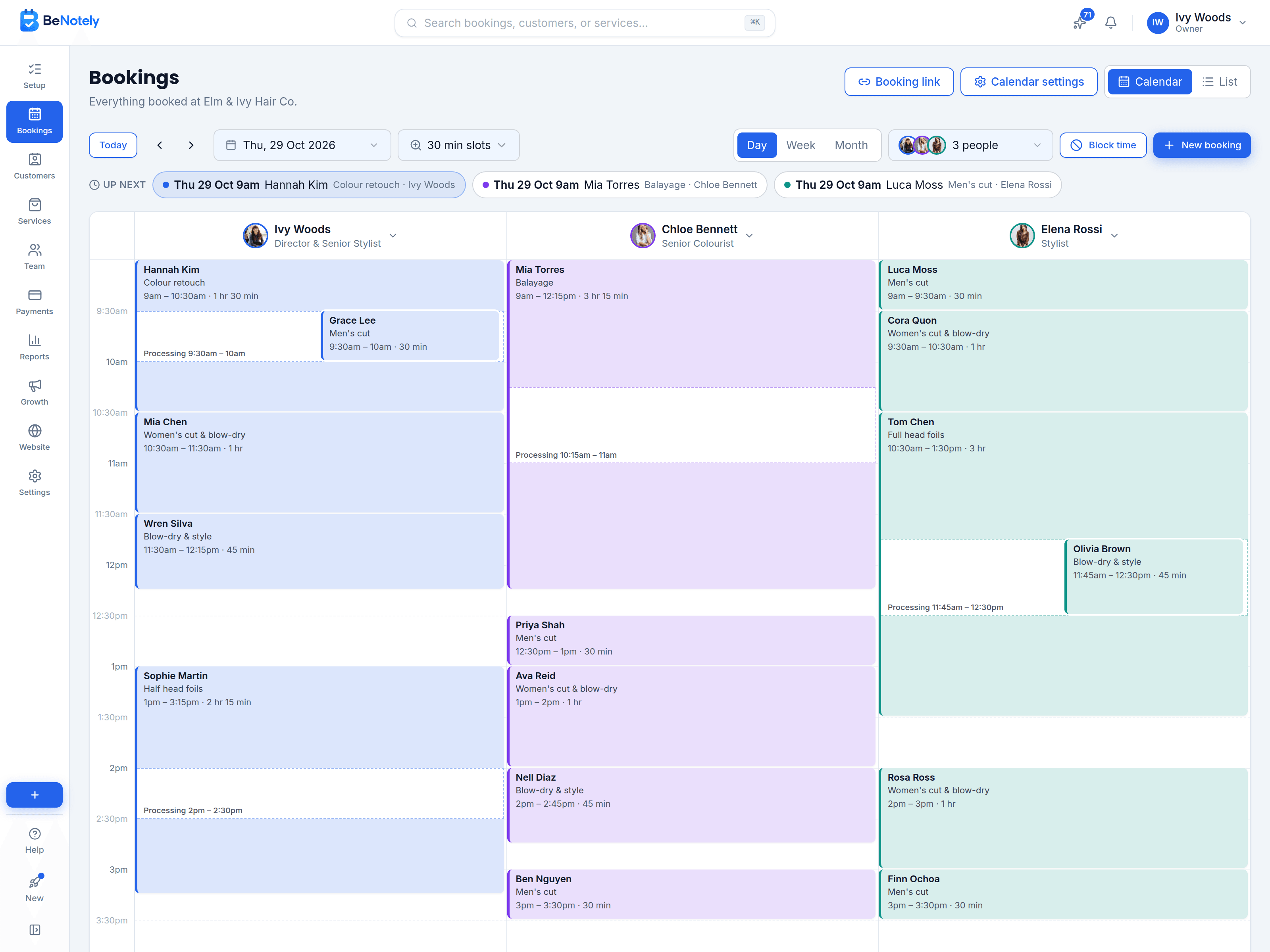
Add processing time to any service
Switch on Processing time and set how long each part takes: before, during and after. The service's length adds up for you.
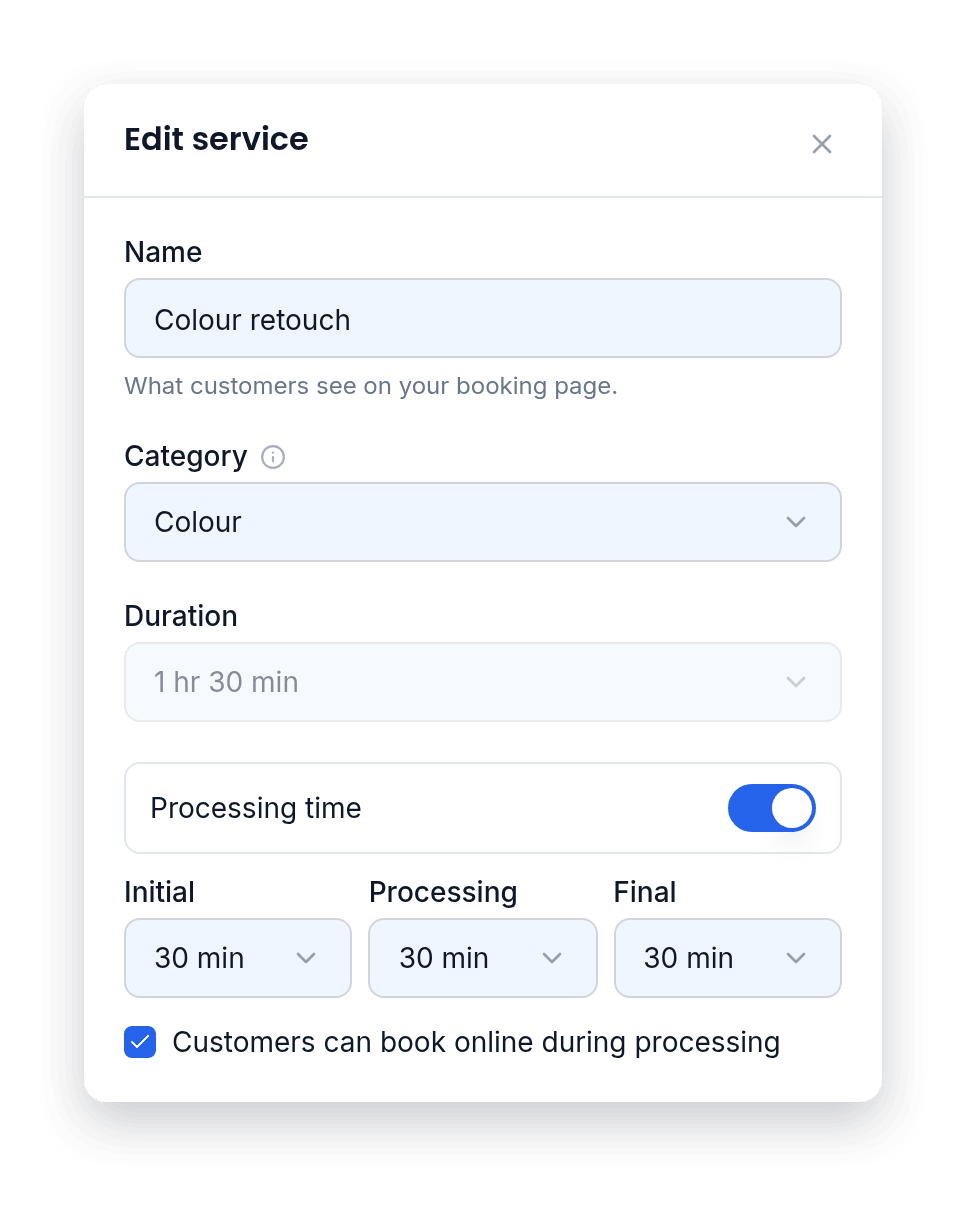
Customers can book into processing time online
Your booking page offers times inside a service's processing time, but only ones that fit, cleanup included.
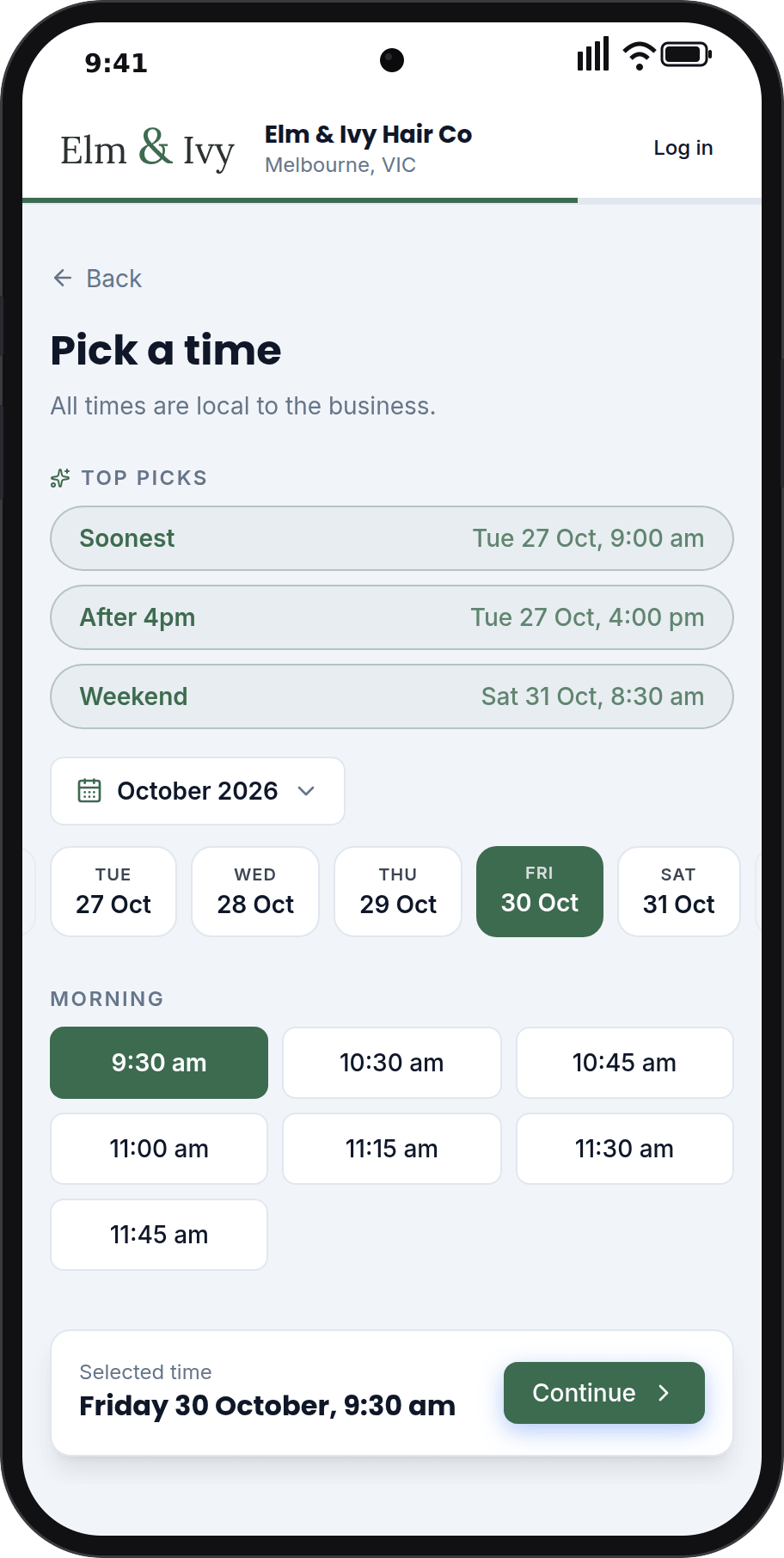
Combine services in one booking, at different times
When a customer books more than one service, give each its own time and team member, like one at 2pm and the next at 4:15pm. It's still one booking, with one confirmation and one checkout.
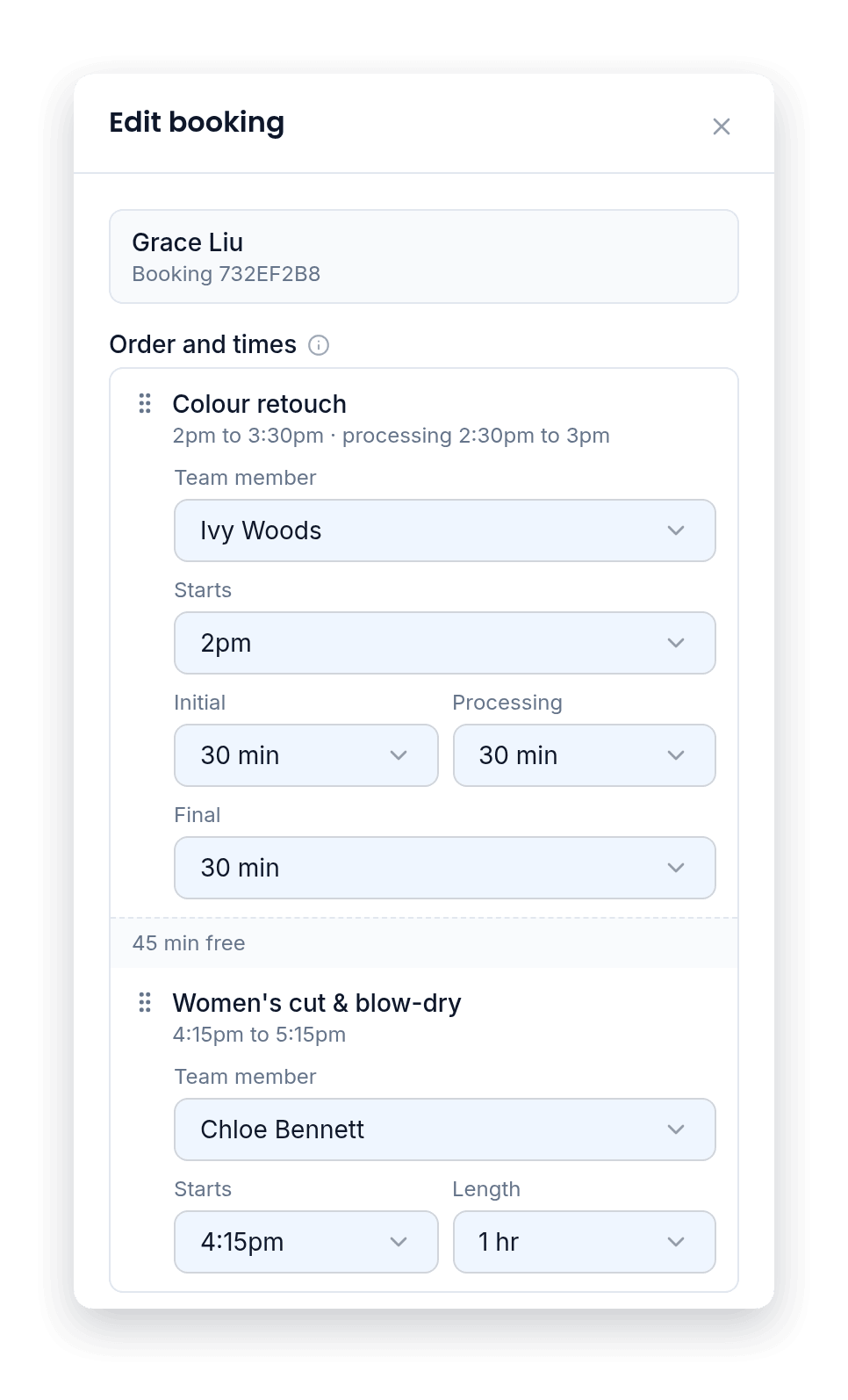
Everything processing time should include
Set it on the service once. Every booking follows it.
The card shows its processing time open, with when it runs.
No overlap warning when you book into it from your calendar.
A room the service needs stays held through its processing time.
By staff counts the time your team worked.
Changing a service later leaves bookings already made as they are.
Processing time is on the free plan too.
None of it works alone
The website fills the calendar, bookings build the customer list, the customer list powers the marketing, and the intelligence reads all of it.
Questions owners ask us
Processing time in BeNotely is the part of a service where your customer waits and you're free, like a colour developing or a mask setting. It stays open on your calendar, so you or your customers can book someone else into it.
Can I change it for just one booking?+
Yes. In New booking and Edit booking, change its Initial, Processing and Final for that booking alone, or pick No processing.
What if the next booking runs past it?+
You'll see the usual overlap warning, and you can still book it.
How much does it cost?+
There's a real free plan for one person: online bookings, your website and the AI assistant, no card required. Paid plans start at $29 AUD a month for one person taking bookings and from $69 for a team, GST included. Every new account starts with 30 days of everything switched on.
Is there a lock-in contract?+
No. There are no lock-in contracts and you can cancel any time. Your data stays yours.
Fill your next processing time today
Free for 30 days with everything switched on. No card, no lock-in contracts, and your booking page can be live in minutes.