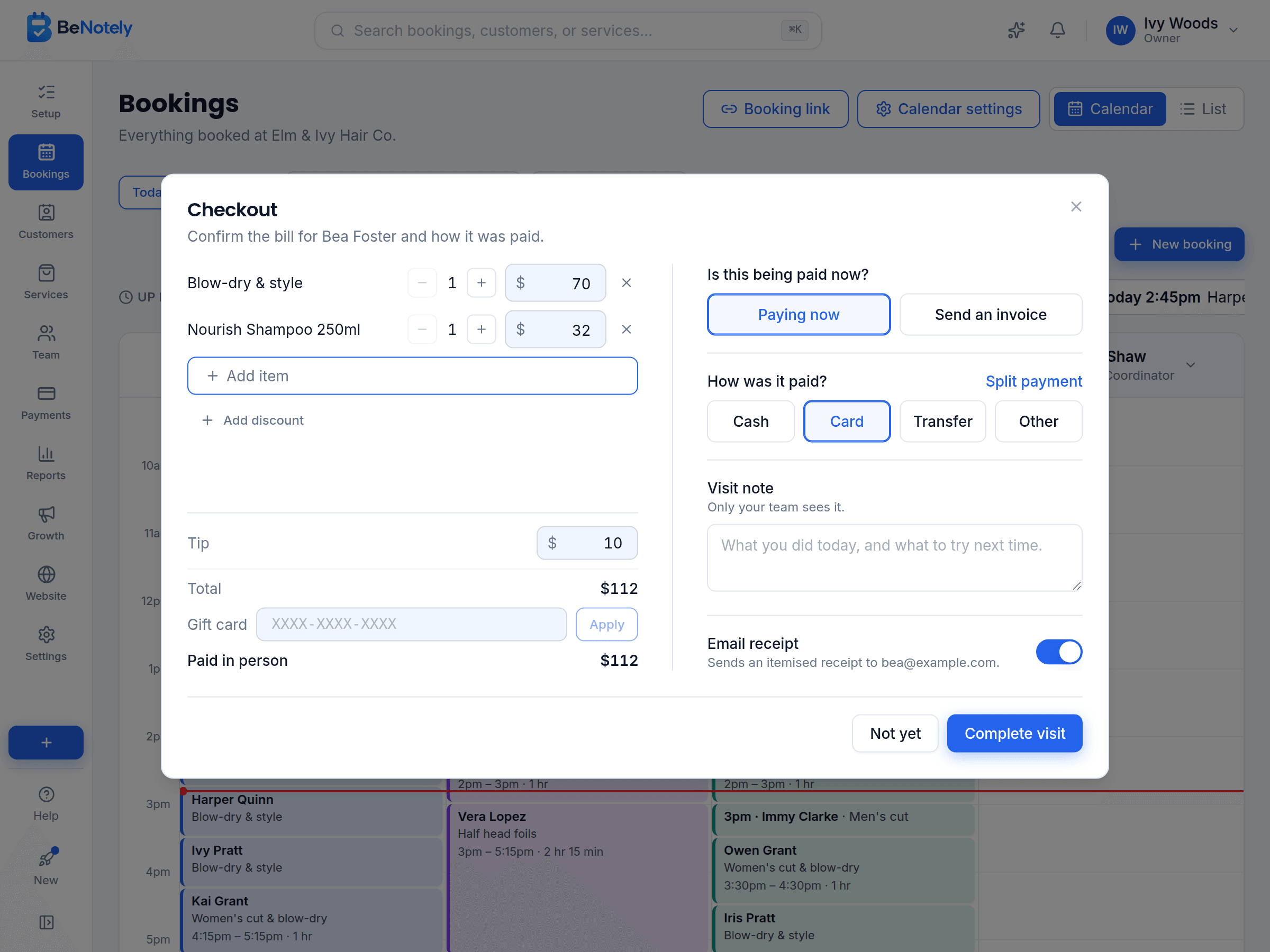
Checkout in one screen, receipt sent
Take payment at the end of the visit and email the receipt. Every payment shows on one page.
Free to start, no card needed. Made in Australia.
Checkout that takes one screen
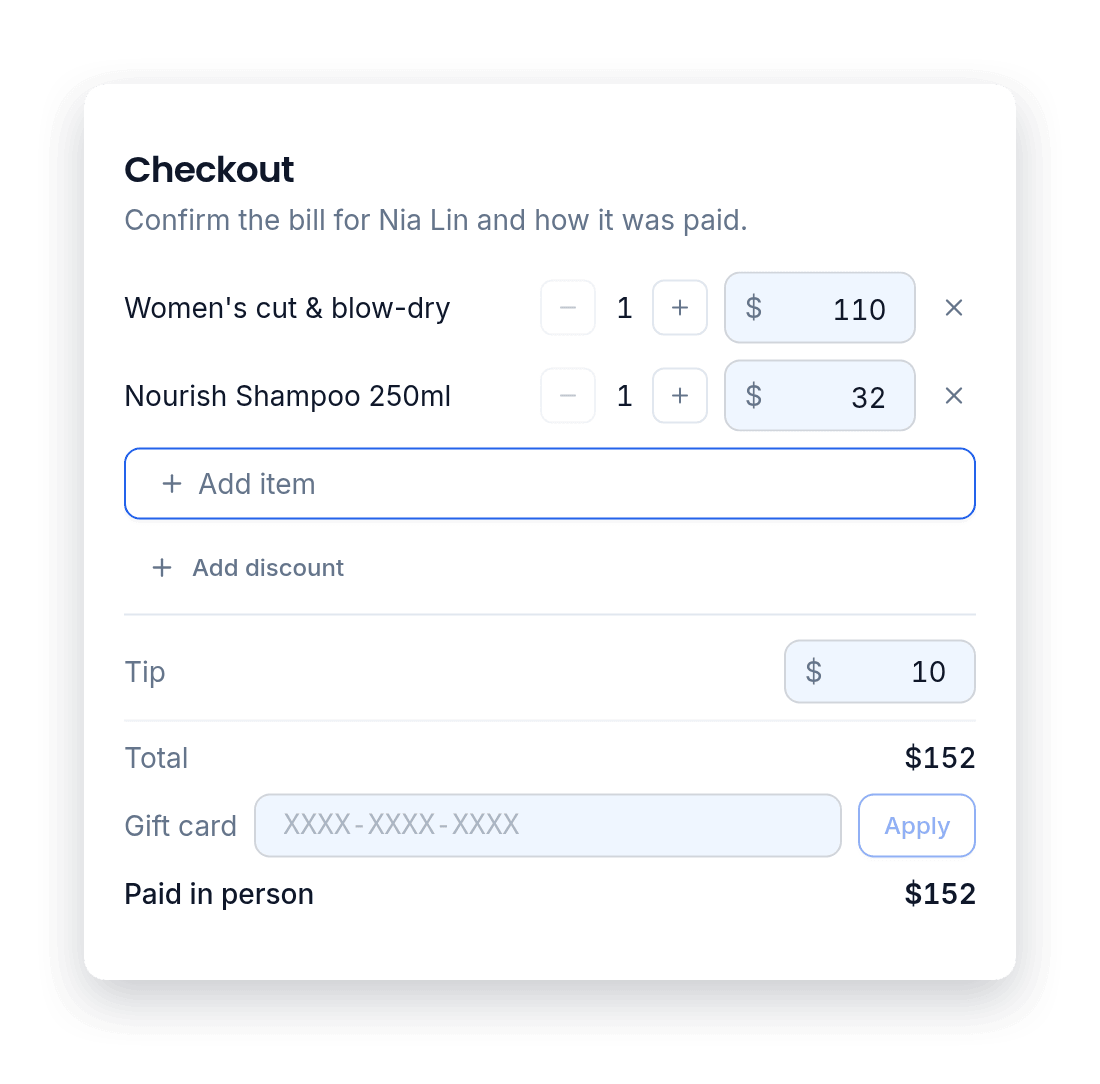
When a visit ends, checkout opens with the bill already made up from the booking. Add a product or a tip, take off a discount, then record how they paid: cash, card, bank transfer, gift card or credit.
Split a bill between cash and card
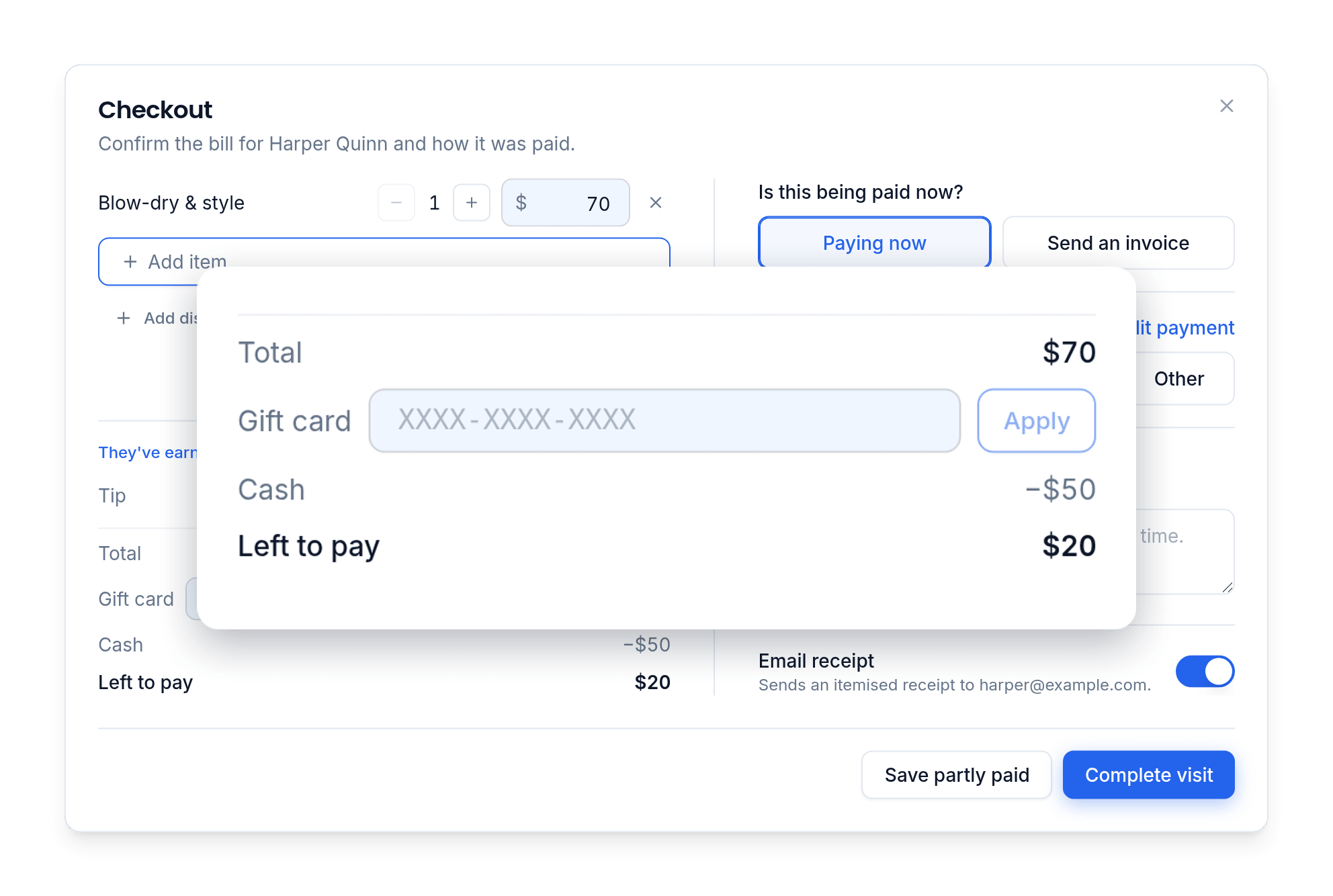
When a customer pays part in cash and part by card, choose Split payment. Enter each part as it's paid, and the bill shows what's left to pay. The receipt lists every part.
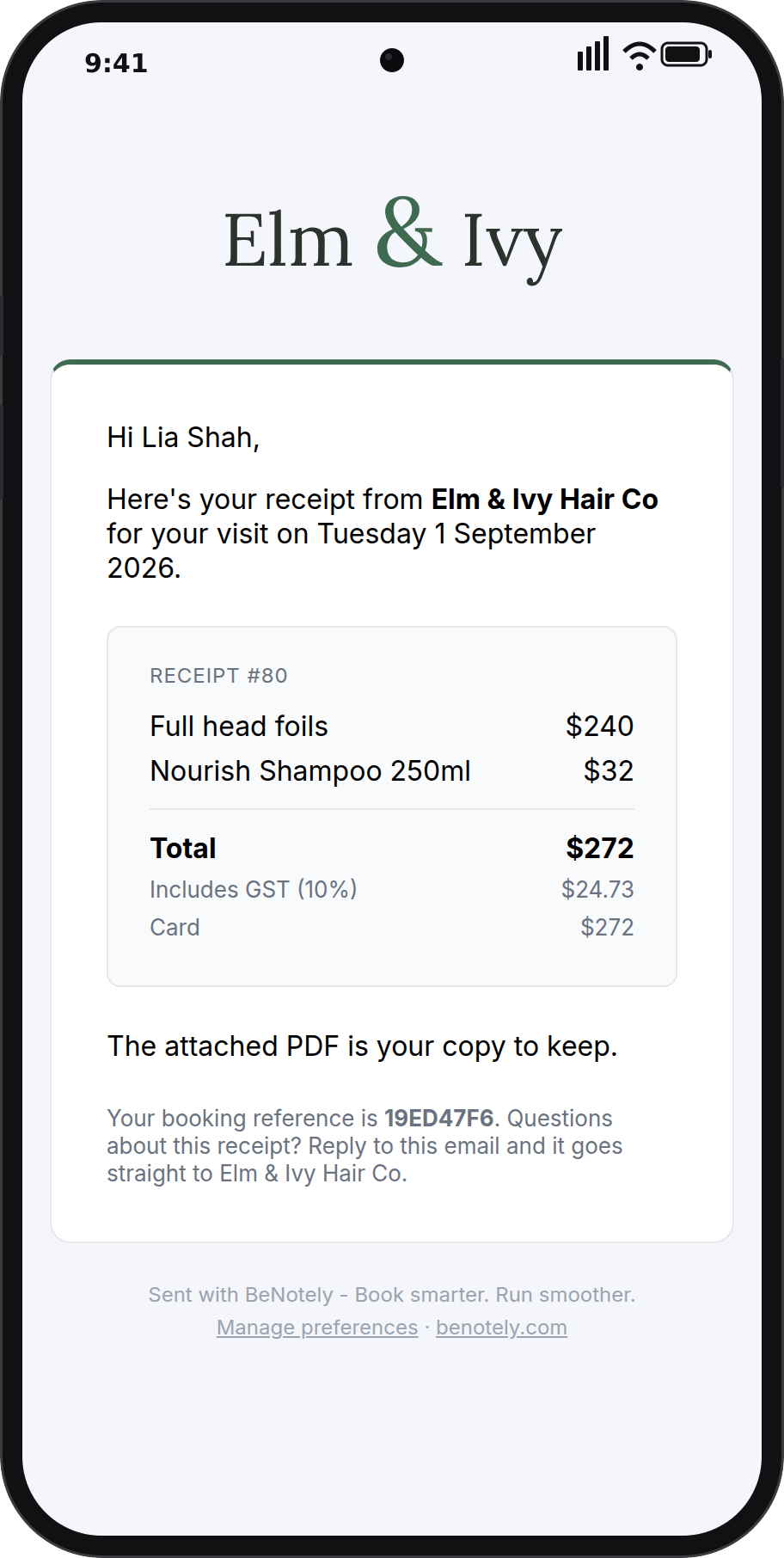
Receipts and tax invoices, sent for you
Every completed visit can email a receipt with a PDF attached. If you're registered for GST, it's a tax invoice with your ABN.
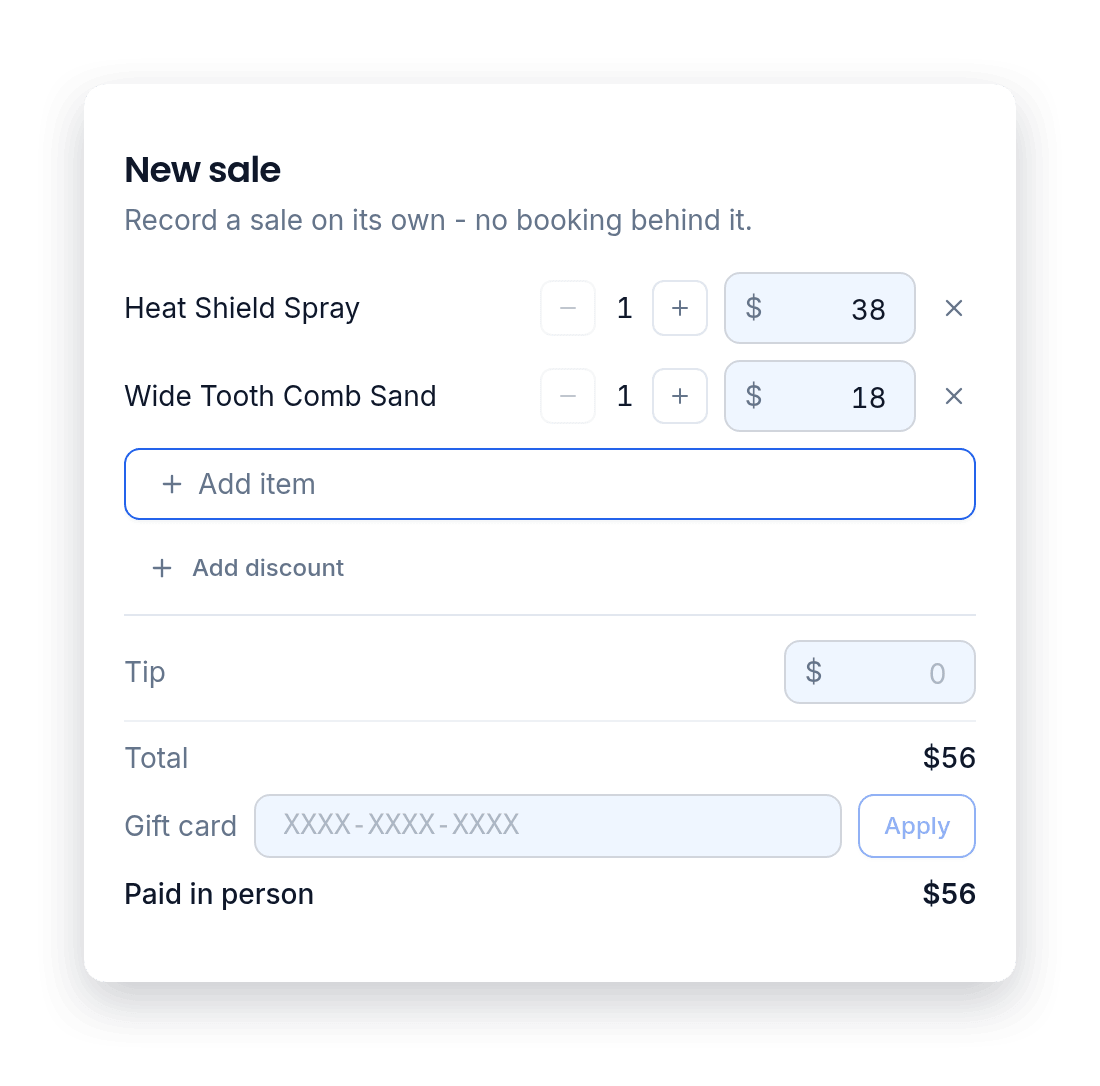
Walk-in sales, no booking needed
Someone buys a product or a gift card without an appointment? Start a new sale, add what they bought, and take the payment.
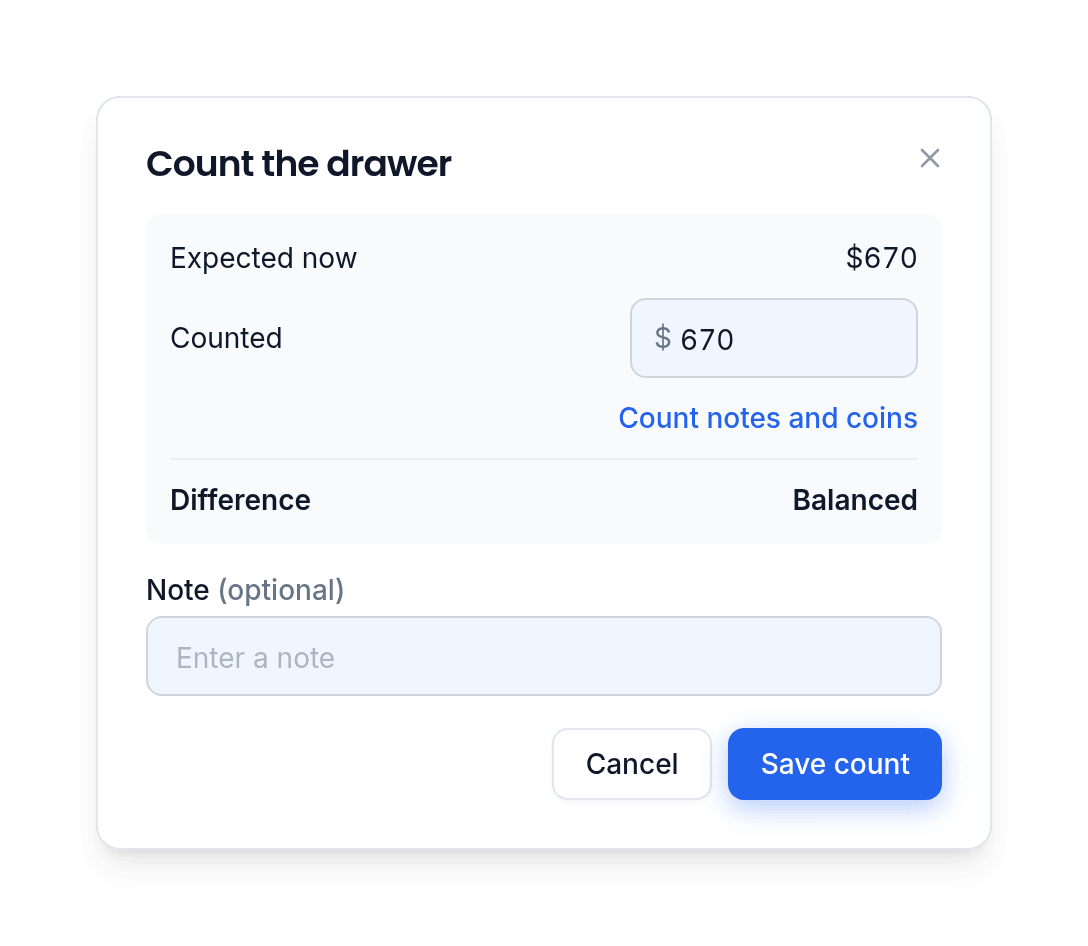
Count and close your cash drawer
Start the day with your float. BeNotely adds every cash payment and takes off the change you give, so you always know what should be in the drawer. Count it whenever you like, and close it at the end of the day.
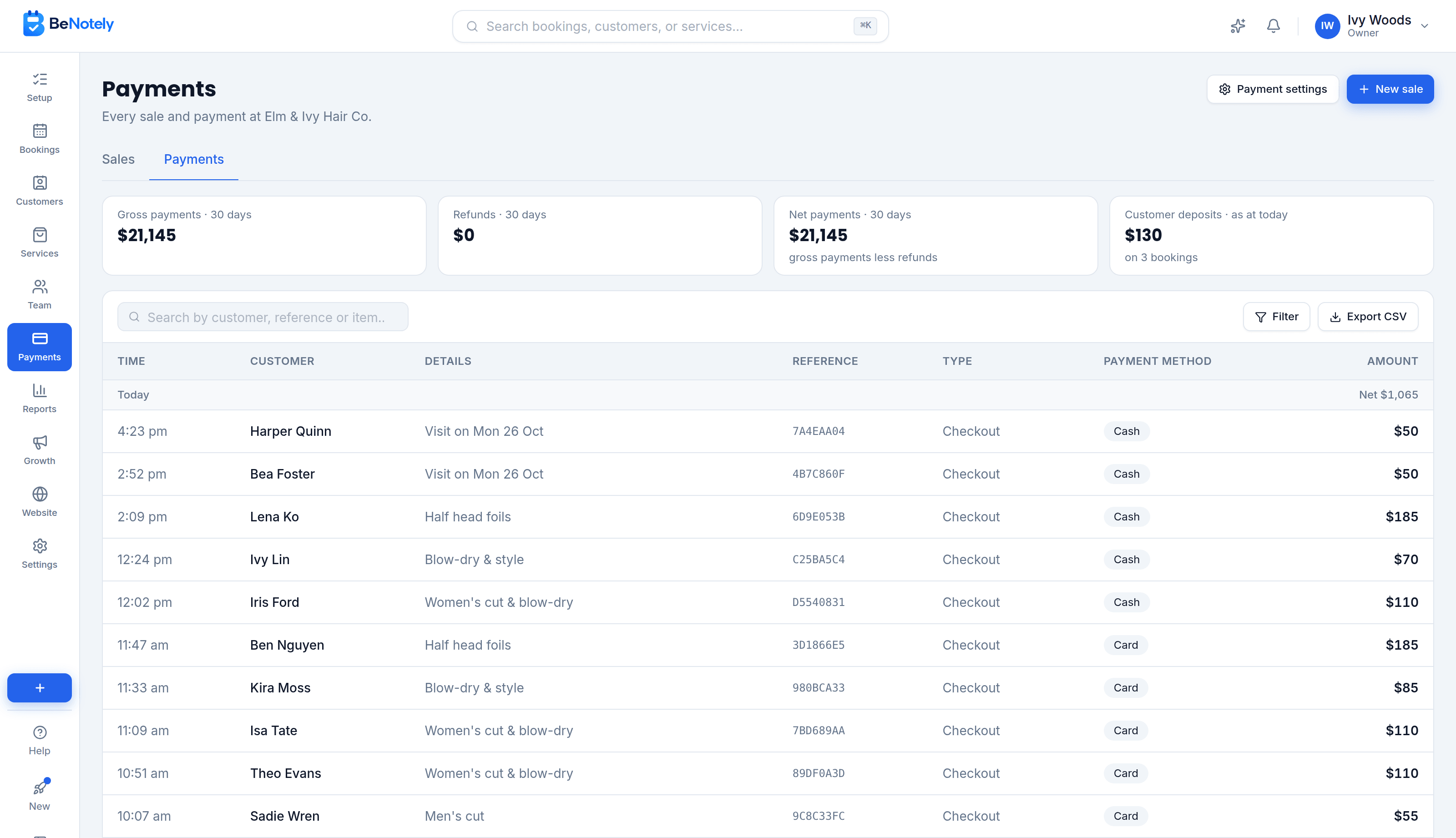
Your sales and payments, day by day
Your Payments page has two tabs. Sales lists everything you sold, with what's still owing. Payments shows the money that came in each day, online and in person, with refunds taken off.
Everything checkout software should include
One screen at the end of the visit. The paperwork does itself.
Add a tip at checkout. Tips show separately in your reports.
Take a dollar amount or a percentage off, or apply a promo code.
Prices include GST. If you're registered, the GST is worked out for you.
Turn a refund into credit. Customers spend it on their next visit.
Refund one item or any amount. The receipt is updated automatically.
Checked out the wrong booking or typed the wrong price? Reopen it and fix it.
Type the cash they hand you, and see the change to give back.
Customers pay now and spend it at any later visit.
Get paid every business day, weekly or monthly, or pay out now.
None of it works alone
The website fills the calendar, bookings build the customer list, the customer list powers the marketing, and the intelligence reads all of it.
Questions owners ask us
BeNotely's checkout completes a visit on one screen: the services as they were done, any products or extras, a tip, a discount, and how it was paid. It emails a numbered receipt or tax invoice, records every sale on your Payments page, and gives part of a sale back when something is returned.
Do I need a card machine?+
No. Deposits and online payments happen on your booking page. At the visit, record cash, a card on your own machine or a bank transfer. On a paid plan you can also charge the card on a card reader, or with Tap to Pay on an Android phone.
Are the receipts tax invoices?+
Yes, if you're registered for GST and your ABN is saved. The receipt shows your ABN and the GST. Without an ABN, customers get a plain receipt.
Can I fix a receipt after it has been sent?+
Yes. Open the completed booking, fix what's wrong, and a corrected receipt is emailed with the same number.
How are tips handled?+
Add a tip at checkout. Tips are kept separate from the sale and shown on their own line in your reports, including who earned them.
Which plans include checkout?+
Taking payment and recording how it was paid is on every plan, including the free one. Emailed receipts, products, gift cards and packages are on paid plans. Every new account starts with 30 days of everything.
How much does it cost?+
There's a real free plan for one person: online bookings, your website and the AI assistant, no card required. Paid plans start at $29 AUD a month for one person taking bookings and from $69 for a team, GST included. Every new account starts with 30 days of everything switched on.
Is there a lock-in contract?+
No. There are no lock-in contracts and you can cancel any time. Your data stays yours.
Every visit checked out in seconds
Free for 30 days with everything switched on. No card, no lock-in contracts, and your booking page can be live in minutes.