
Send invoices, get paid
Send the invoice at checkout. They pay online or by bank transfer, and reminders go out for you.
Free to start, no card needed. Made in Australia.
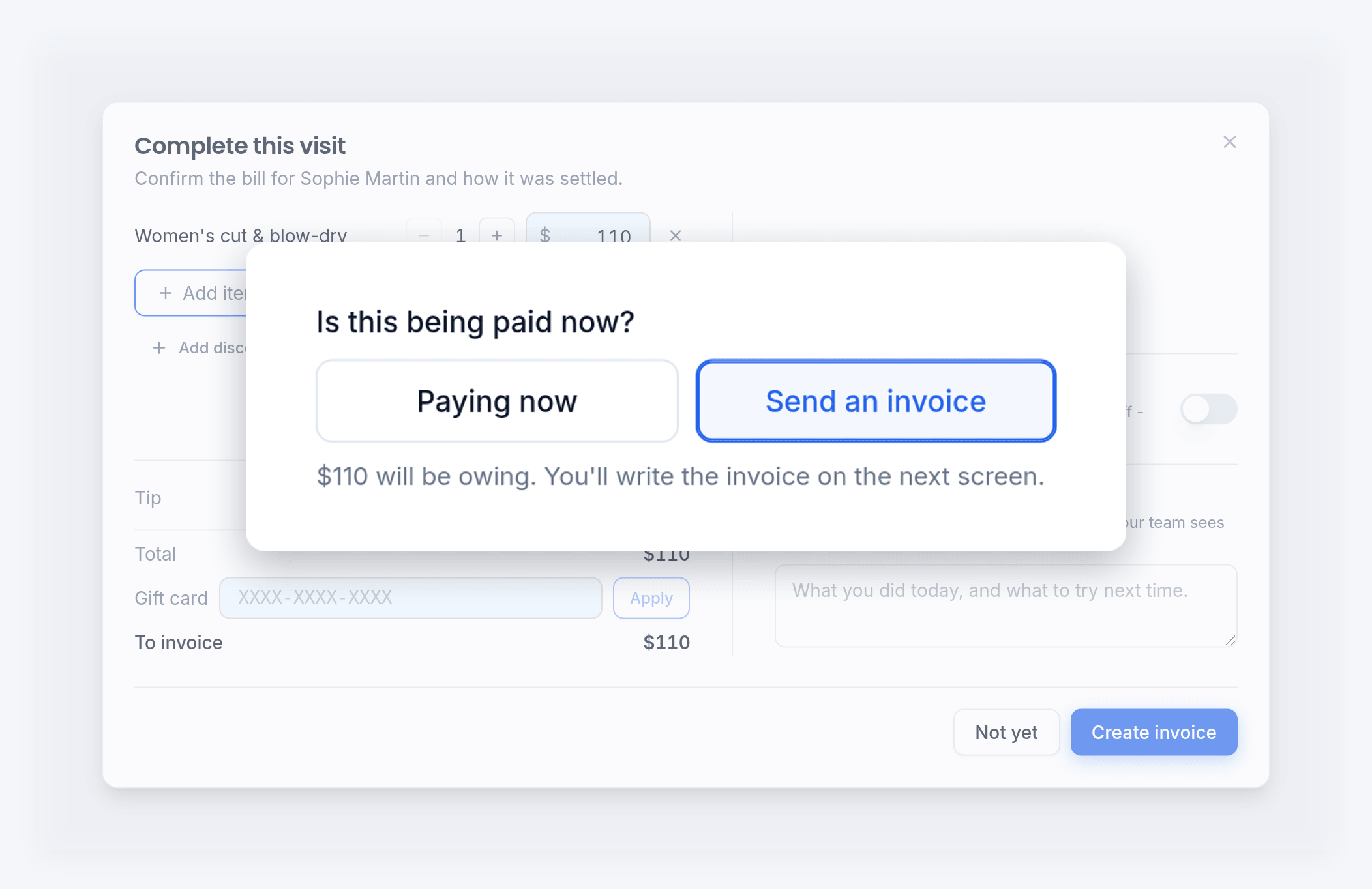
Send an invoice instead of taking payment
When the visit ends, choose Send an invoice. The invoice opens with the visit already on it. Check it, then email it.
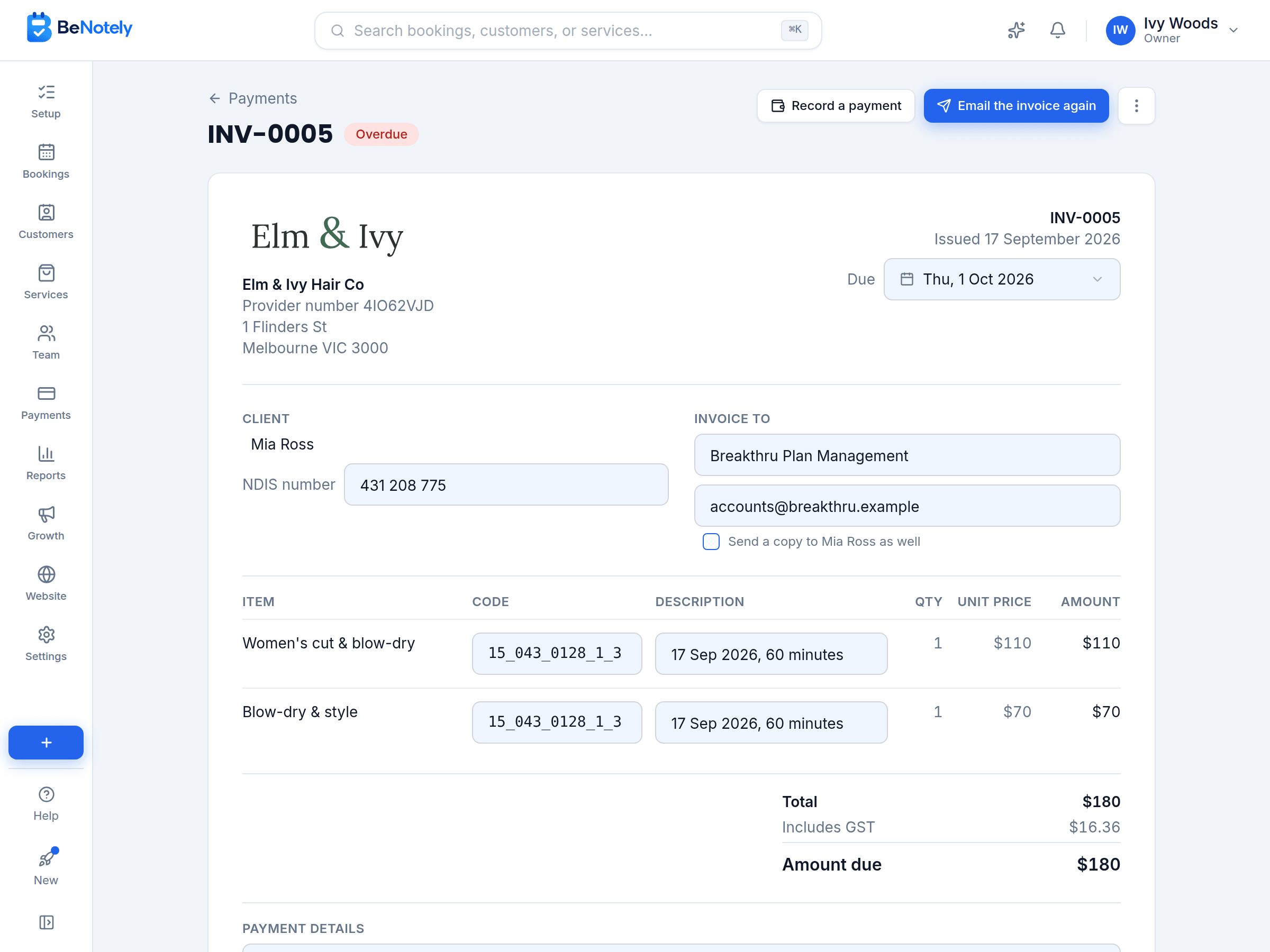
Made out to whoever pays the bill
Send the invoice to a plan manager, an employer or a parent, with your customer named as the client. Their details are saved for next time.
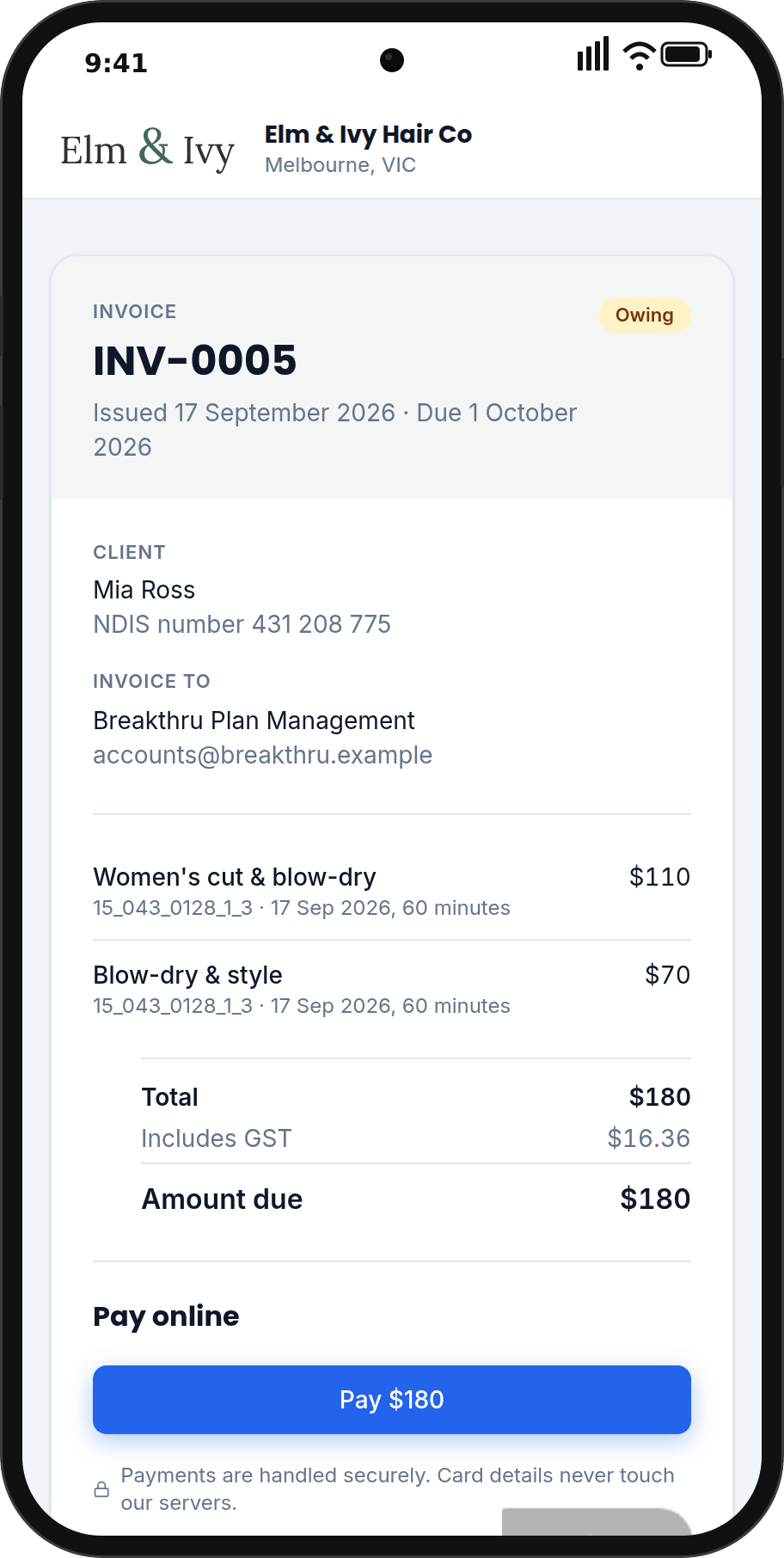
Paid online, straight from the invoice
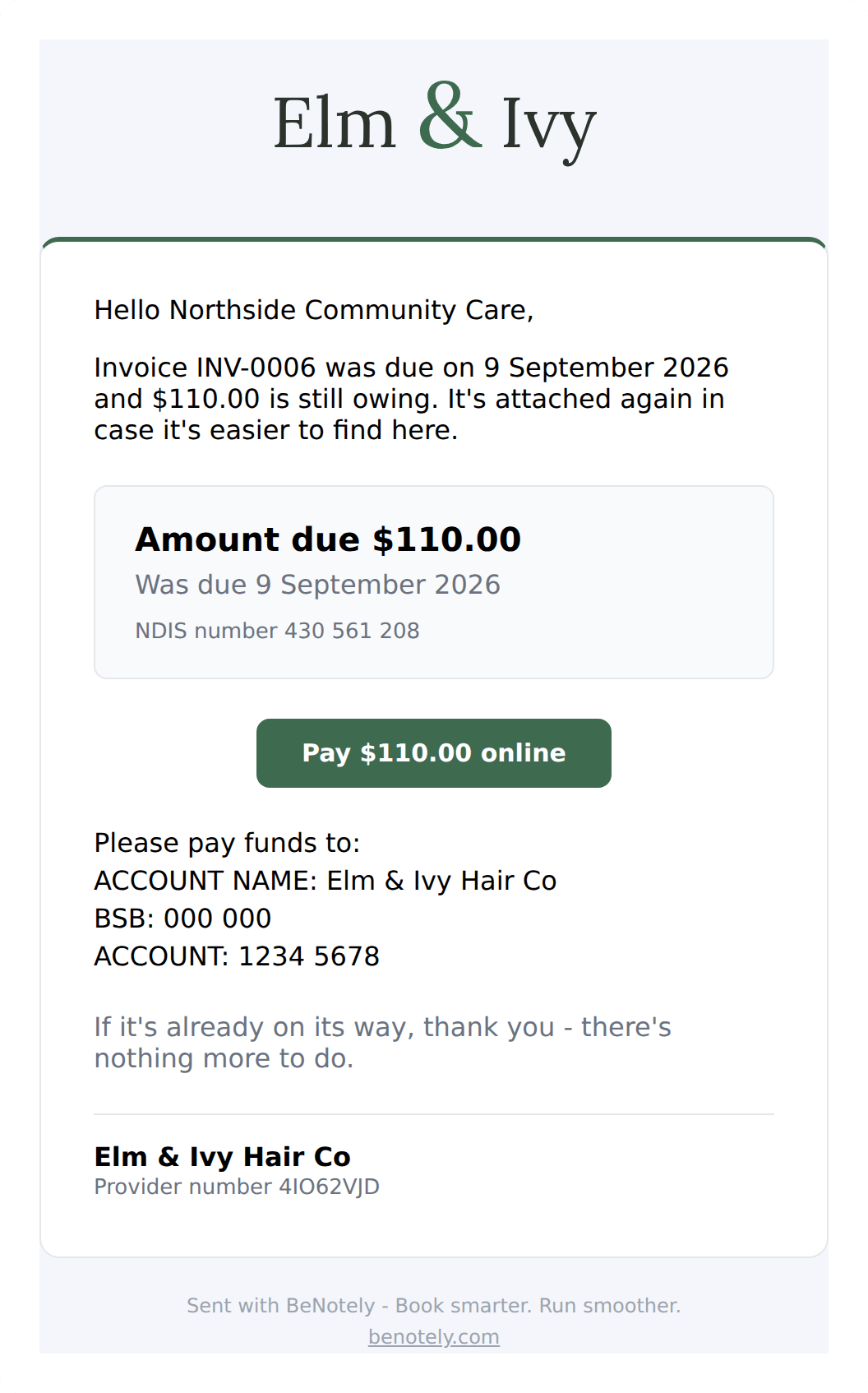
The email carries a link to the invoice and a Pay online button. A card payment marks the invoice paid and lands on your Payments page.
Payment reminders, sent for you
A reminder goes out before the due date and again after it, up to three. They stop the moment the invoice is paid.
See what's owing at a glance
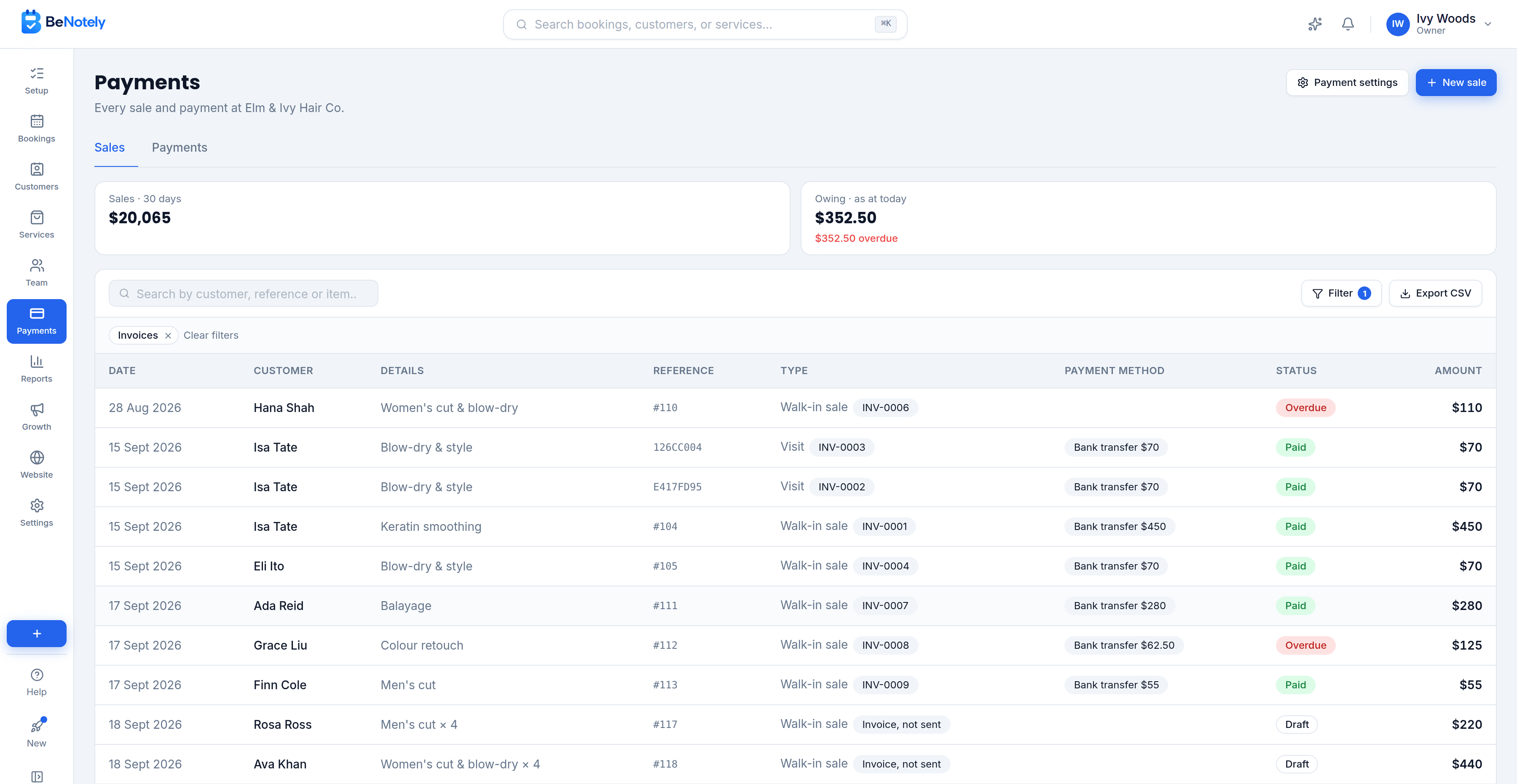
Every invoice shows under Sales on your Payments page, with where it stands: owing, overdue, partly paid or paid. The Owing total adds up what's outstanding today.
Everything invoicing software should include
Send it once. The reminders do the rest.
INV-0001, INV-0002 and so on. Moving from another tool? Set the next number to carry on.
Registered for GST? The GST is shown and your ABN is on every invoice.
Fix a line and email it again. The same number goes out, marked as updated.
Withdraw an invoice nothing has been paid on. The visit can be checked out again.
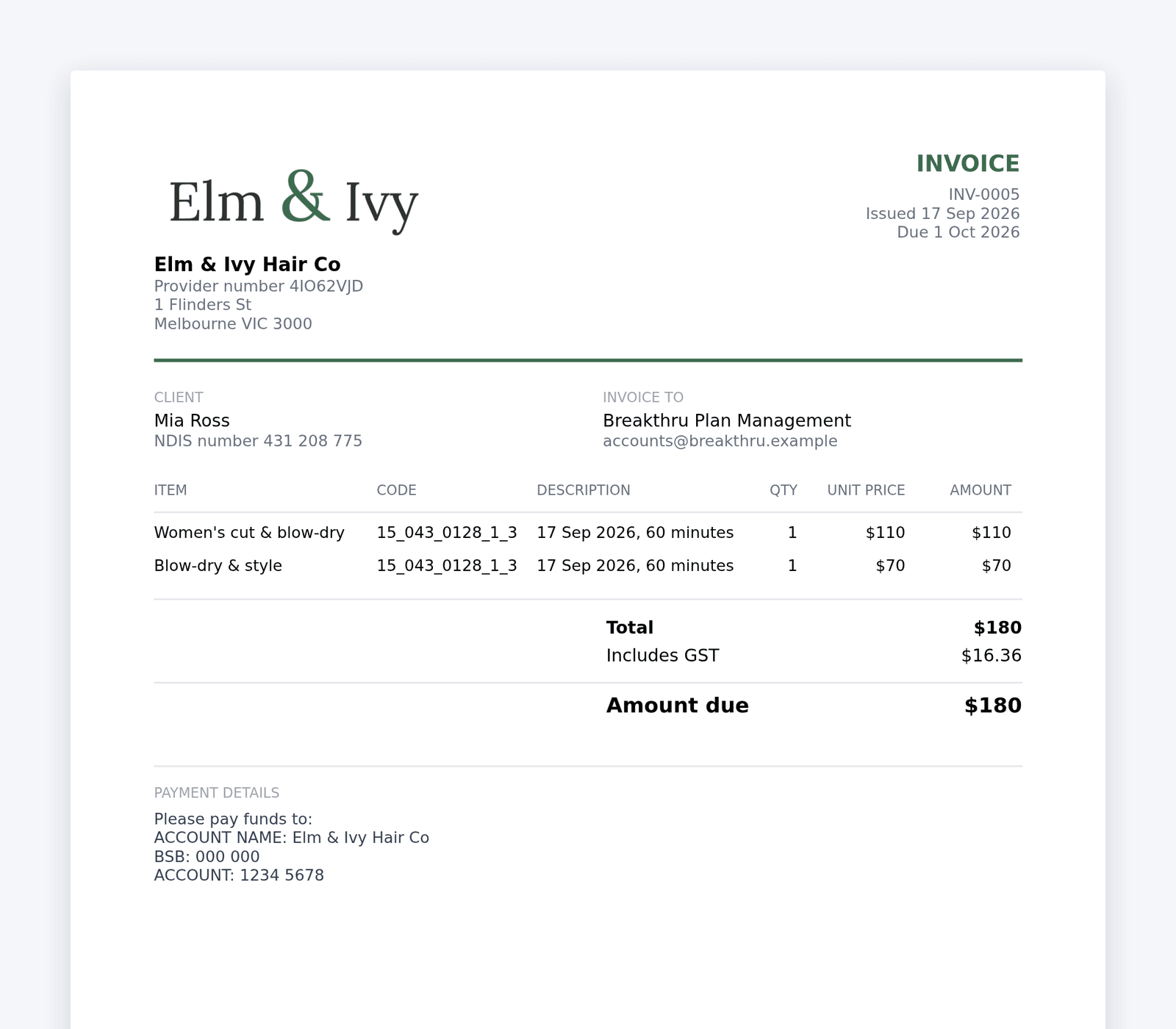
Print an invoice or hand it over. It's the same document the email carries.
Every invoice for a customer, and the booking each one came from.
None of it works alone
The website fills the calendar, bookings build the customer list, the customer list powers the marketing, and the intelligence reads all of it.
Questions owners ask us
BeNotely's invoicing sends an invoice at checkout instead of taking payment. It is made out to whoever pays, your customer, a plan manager or an employer, with the customer's reference and an item code on every line. They pay online or by bank transfer, reminders go out for you, and your Payments page shows what's owing.
Who is the invoice sent to?+
Whoever you choose. Your customer, or a plan manager, an employer or a parent, with a copy to the customer if you tick it. Their details are saved for the next invoice for the same customer.
Can I put NDIS item codes on an invoice?+
Yes. Every line has an item code, and saving it to the service puts it on the next invoice for you. The customer's NDIS number shows under their name, with whatever label you give it.
Do I need card payments set up to send invoices?+
No. Your bank details print on every invoice, and you record the transfer when it arrives. Pay online is there once card payments are set up.
What happens when an invoice is paid?+
A card payment online marks it paid for you. A bank transfer you record on the invoice, with the day it landed. Either way a confirmation goes to whoever the invoice was sent to.
Which plans include invoices?+
Invoices are on the Solo and Team plans. Every new account starts with 30 days of everything.
How much does it cost?+
There's a real free plan for one person: online bookings, your website and the AI assistant, no card required. Paid plans start at $29 AUD a month for one person taking bookings and from $69 for a team, GST included. Every new account starts with 30 days of everything switched on.
Is there a lock-in contract?+
No. There are no lock-in contracts and you can cancel any time. Your data stays yours.
Send your first invoice today
Free for 30 days with everything switched on. No card, no lock-in contracts, and your booking page can be live in minutes.