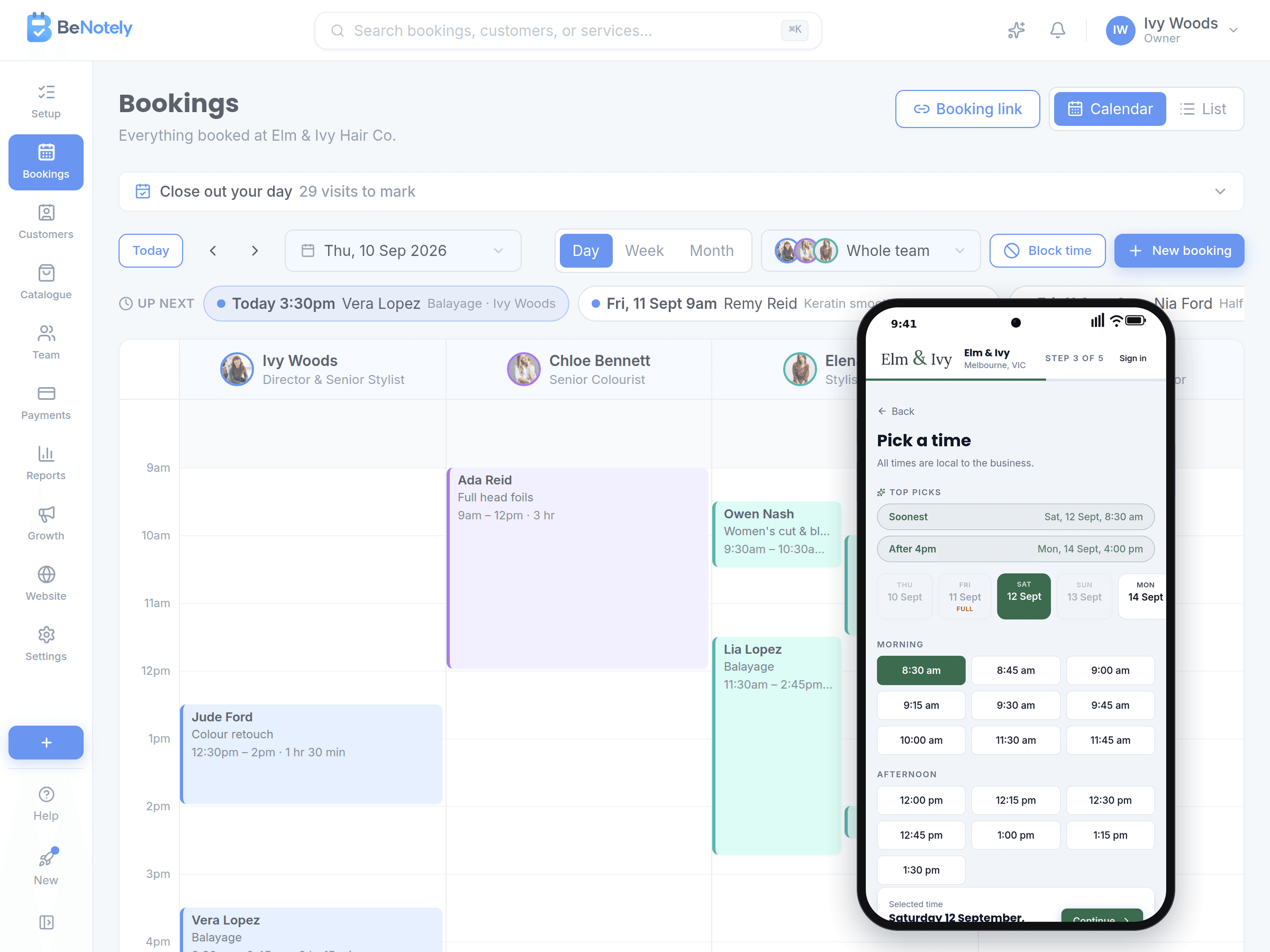
Customers book themselves, any time
Your booking page shows real times from your calendar. Customers pick a time, get a reminder, and you see it the moment they book.
Free to start, no card needed. Made in Australia.
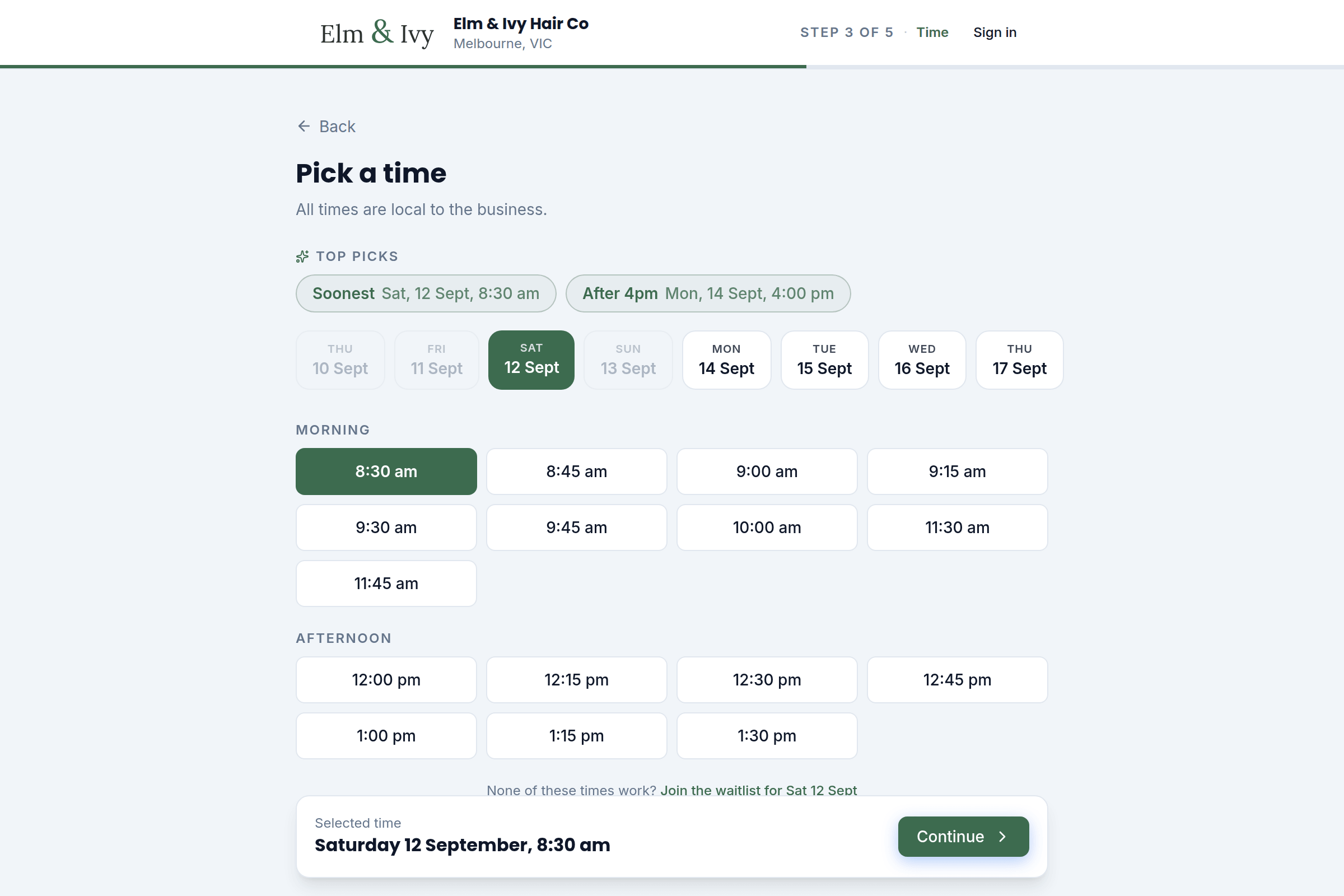
Customers pick a real time, in seconds
Your booking page only shows times you actually have. Customers pick a service, a person and a time, and the booking lands on your calendar straight away.
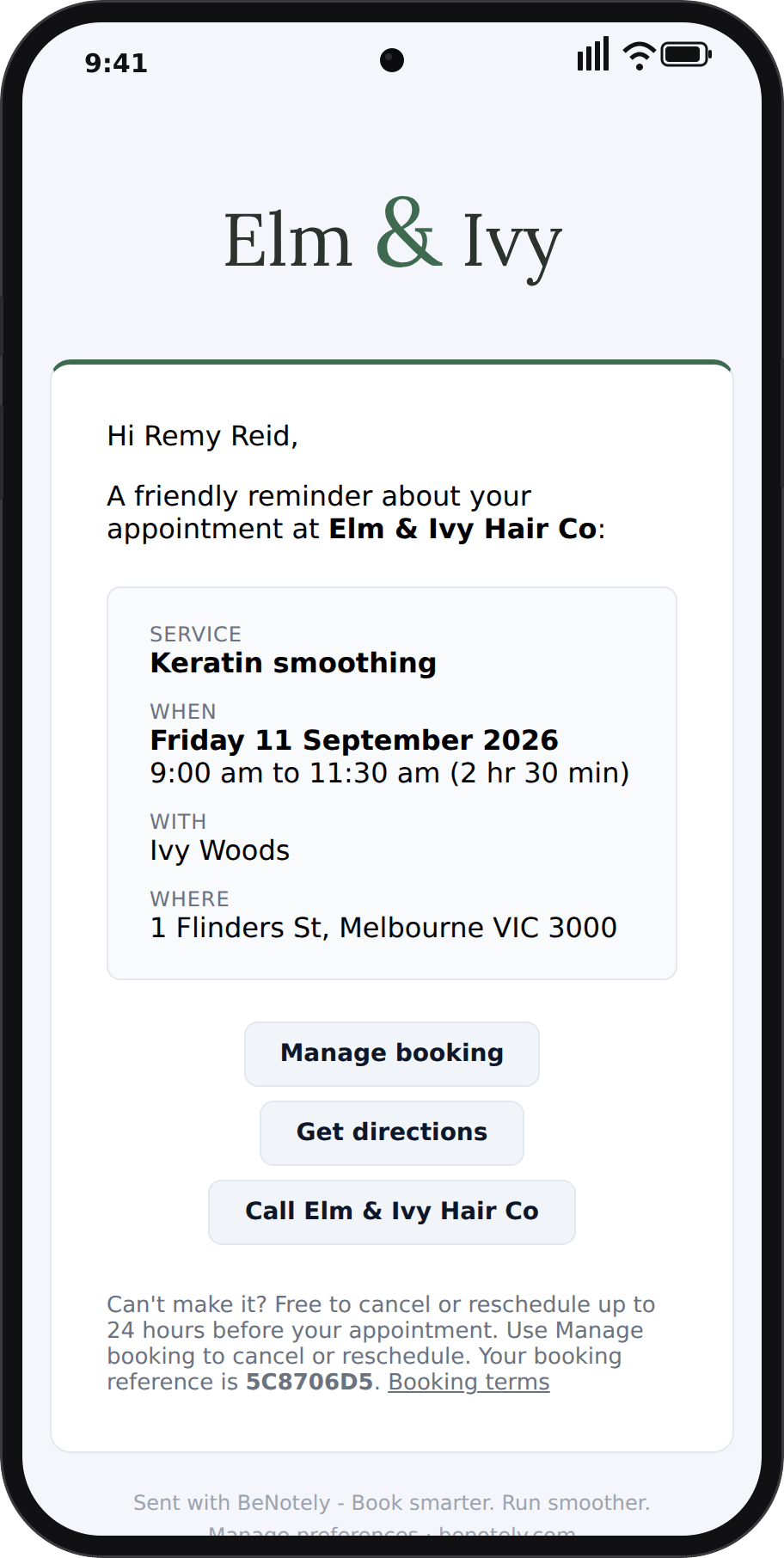
Reminders go out automatically
Reminders go out at the times you choose, by email, SMS or both. Each email carries a link to reschedule or cancel, so changes come to you instead of the phone ringing.
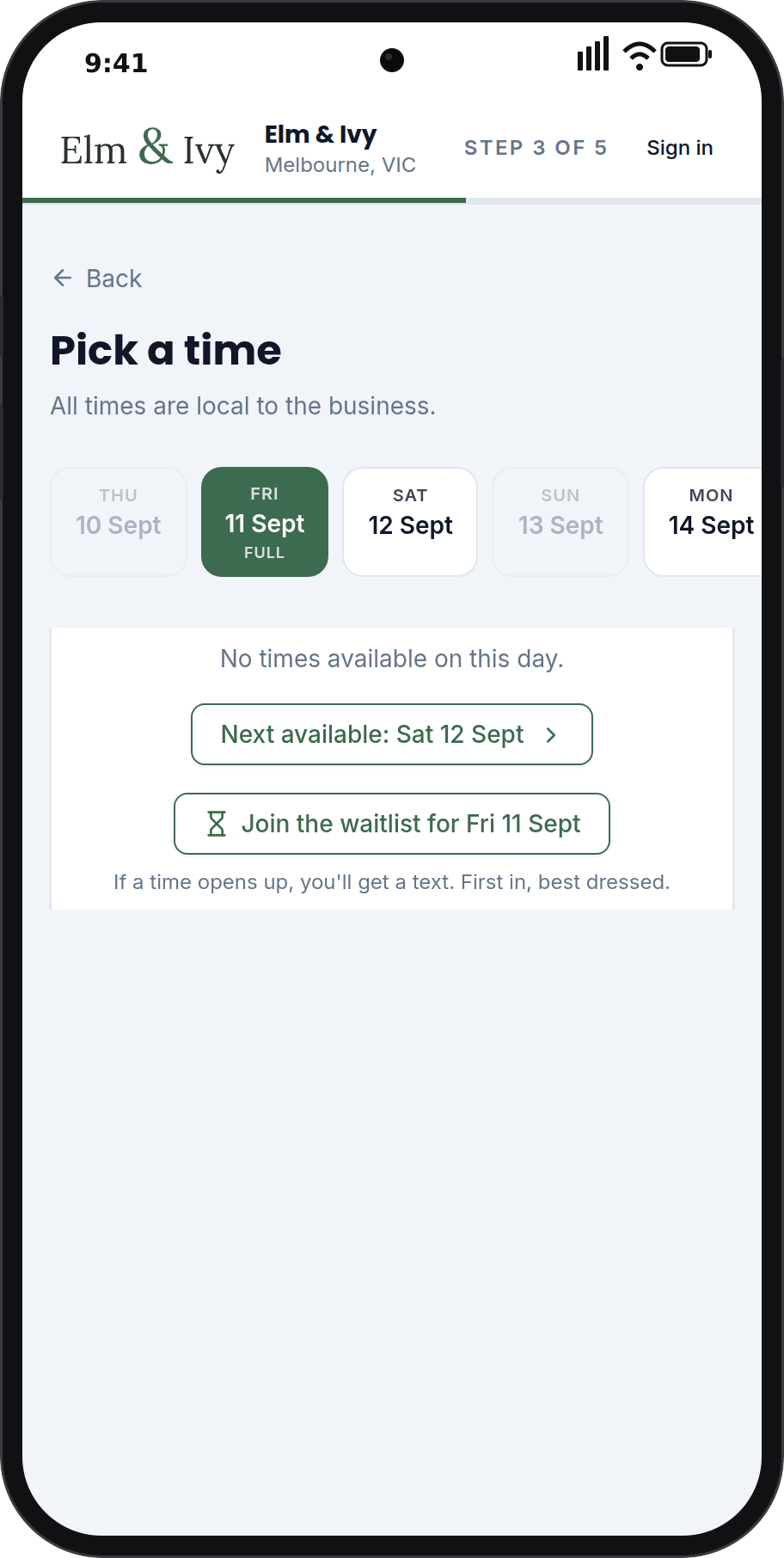
A waitlist fills cancelled times
When a day is full, customers can join the waitlist for it. The moment a time frees up, they get an SMS, and the first to book gets it.
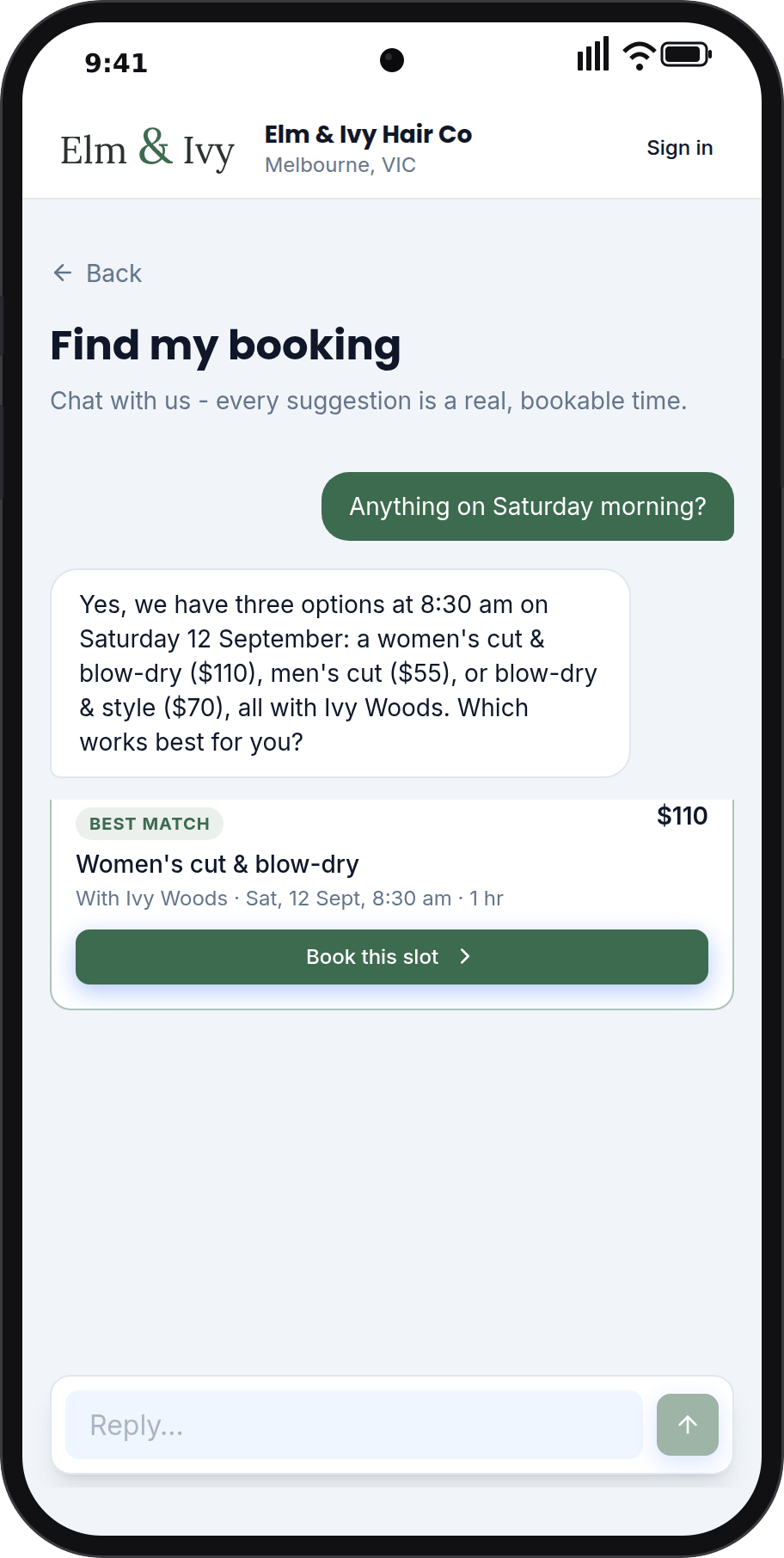
An AI assistant on your booking page
Type what you want, like "anything Saturday morning?", and the assistant answers with a real, bookable time. Every answer is a button that books.
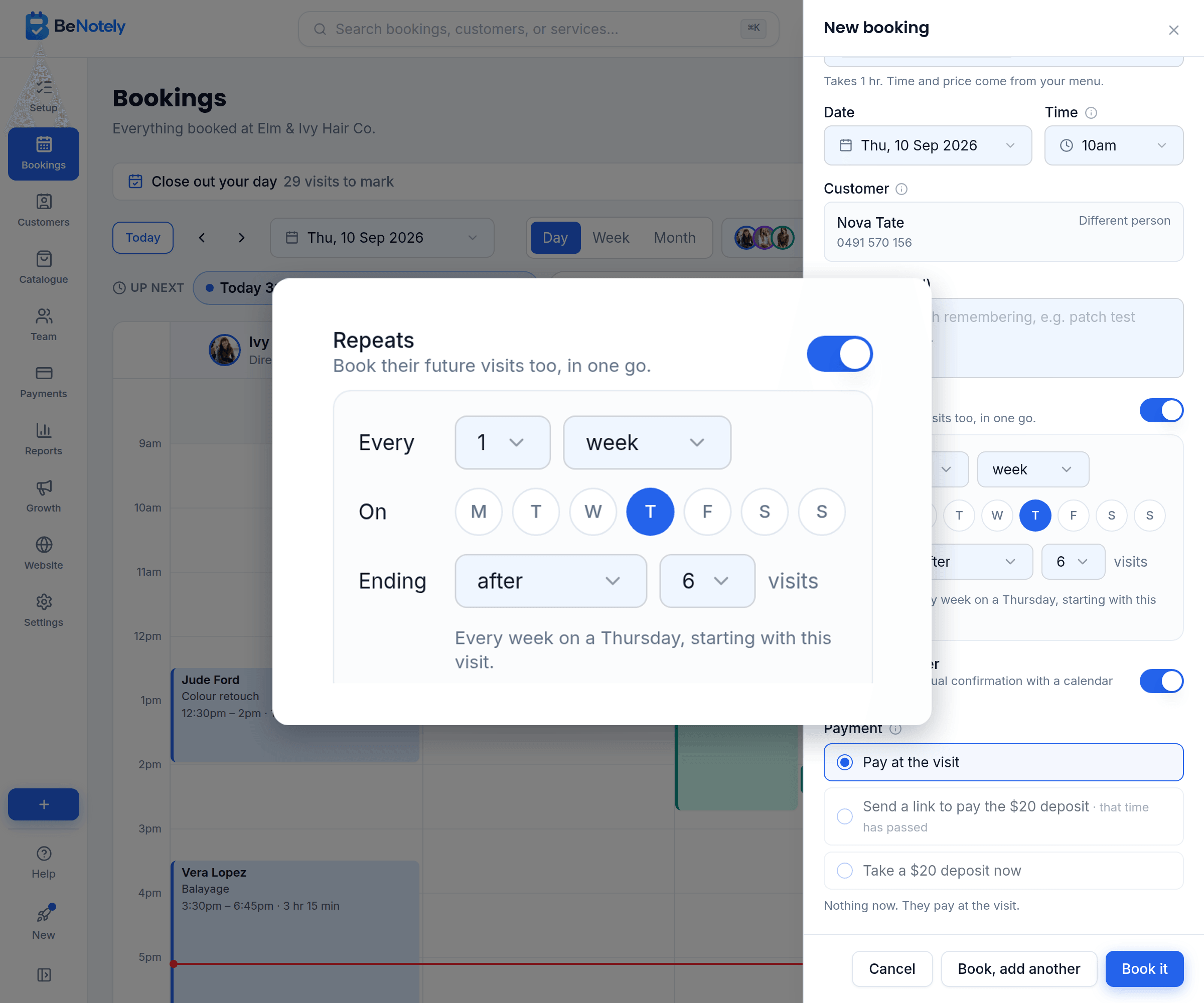
Repeat bookings, set up in one go
Book their next six visits in one go, every week or every few weeks. Each one goes on the calendar as its own booking and gets its own reminder.
Everything a booking system should handle
The details that make the difference between a booking link and a booking system.
Your booking page reads your calendar, so what's offered is what's free.
Offer times every 15, 30 or 60 minutes. Your call, per service if you like.
Decide how close to a time customers can book, and how far ahead.
Customers never need an account. Regulars can keep one for faster booking.
Add them in seconds, on the same calendar.
A customer who gets interrupted comes back to where they left off.
Stop online bookings for a while, and choose when they reopen.
Set times like 9:00, 11:30 and 2:00, so no short gaps are left.
Keep a service off your booking page, and book it yourself.
None of it works alone
The website fills the calendar, bookings build the customer list, the customer list powers the marketing, and the intelligence reads all of it.
Questions owners ask us
BeNotely's online booking system gives your business a booking page that shows real times from your calendar, sends reminders for you, fills cancelled times from a waitlist, and lets you book a regular's visits weeks ahead. Built in Australia and free to start.
How much does it cost?+
There's a real free plan for one person: online bookings, your website and the AI assistant, no card required. Paid plans start at $29 AUD a month for one person taking bookings and from $69 for a team, GST included. Every new account starts with 30 days of everything switched on.
Do my customers need to create an account?+
No. Anyone can book as a guest with just their details. If they want their booking history in one place, they can log in with Google, an email link or an SMS code.
Can customers pick a specific person?+
Yes. Each team member has their own hours and services, and customers choose their person or take the first available time.
What stops double bookings?+
There's one calendar underneath everything. Online bookings, manual bookings and the assistant all read the same availability, so a time that's taken stops being offered.
Is there buffer time between appointments?+
Yes. Give any service cleanup minutes afterwards and they're built into the times customers see.
How does the waitlist work?+
When a day is fully booked, customers can join the waitlist for it. When a matching time frees up, the longest-waiting people get an SMS, and the first to book gets it. It's part of the paid plans.
Is there a lock-in contract?+
No. There are no lock-in contracts and you can cancel any time. Your data stays yours.
Your next booking could arrive tonight
Free for 30 days with everything switched on. No card, no lock-in contracts, and your booking page can be live in minutes.