
Deposits that stop no-shows
Take a deposit when they book, or keep their card on file. The rest is paid at the visit.
Free to start, no card needed. Made in Australia.
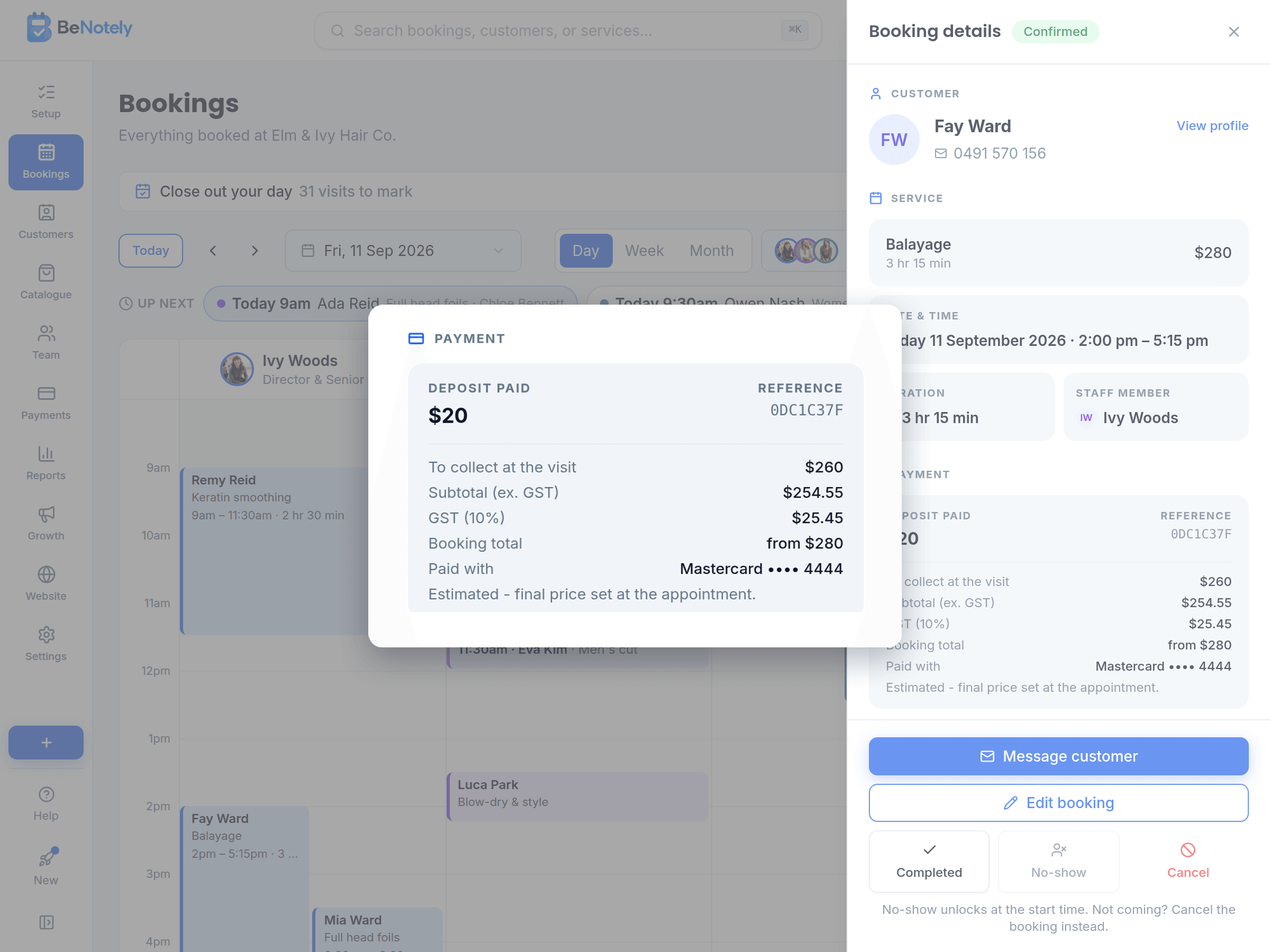
Take a deposit when they book
Choose a deposit: a percentage, a fixed amount, or the full price. Customers pay it on your booking page with a card, Apple Pay or Google Pay. The booking is confirmed straight away.
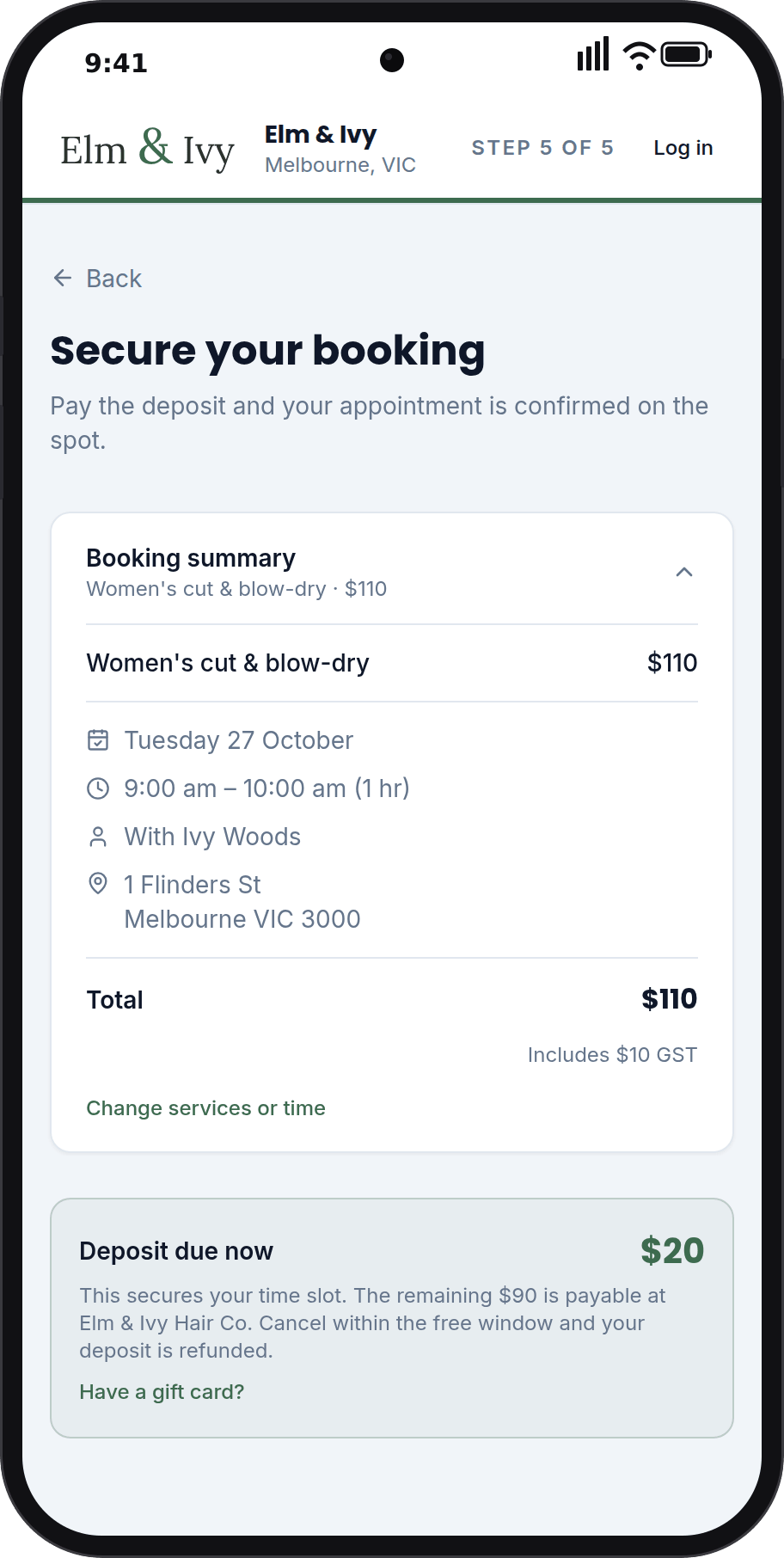
Keep a card on file for no-shows
Nothing is charged when they book. Their card is saved, and if they don't show up or cancel late, you can charge the fee in your policy. Customers see the fee before they book.
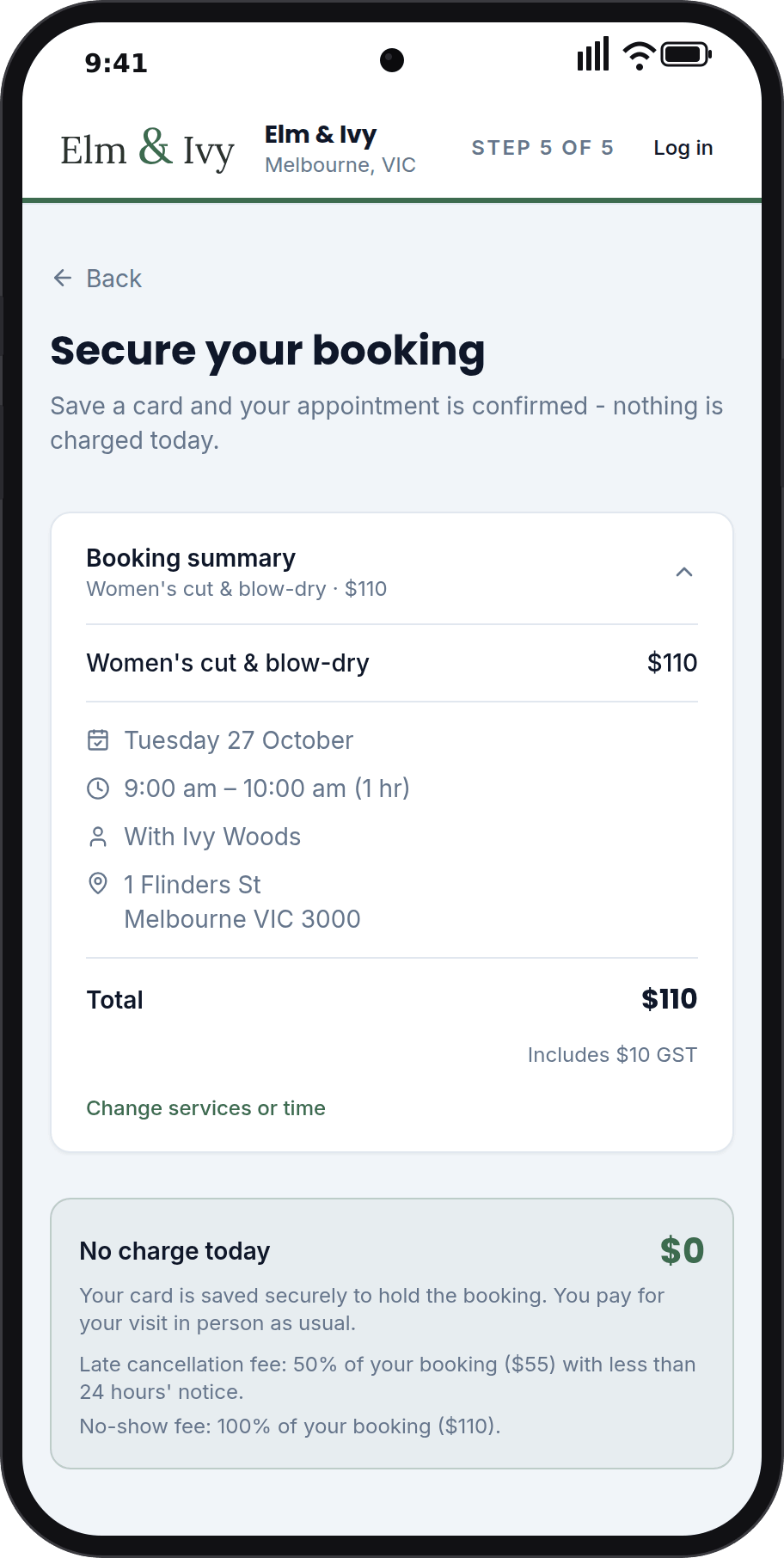
No-show fees, charged in one tap
Mark the no-show on the booking. With a card on file, you choose how much to charge, up to your fee. With a deposit, you keep it. The customer gets an email and a receipt.
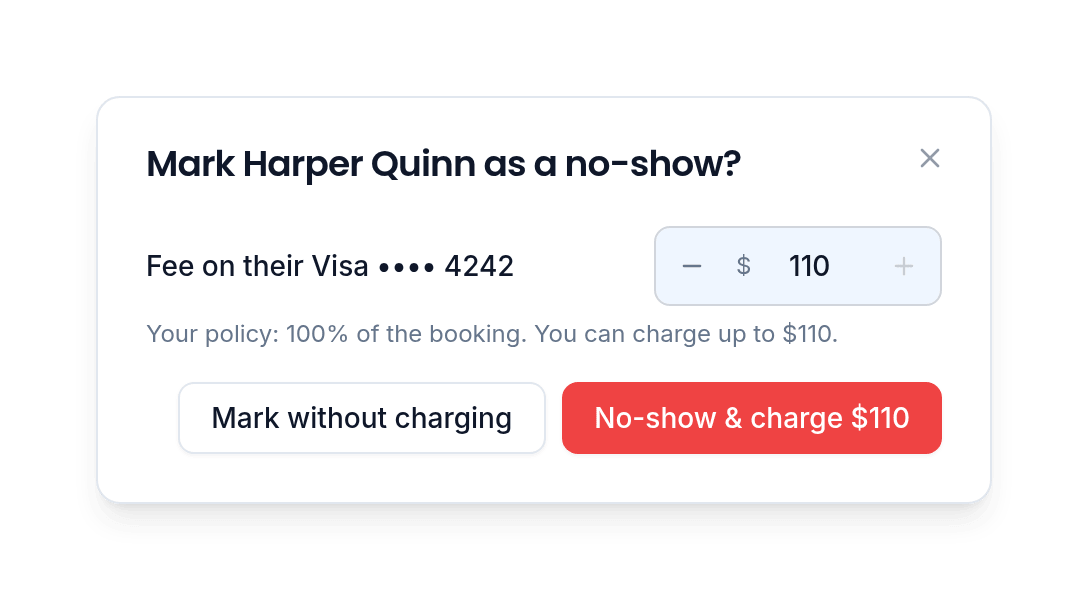
Deposits and cards for phone bookings
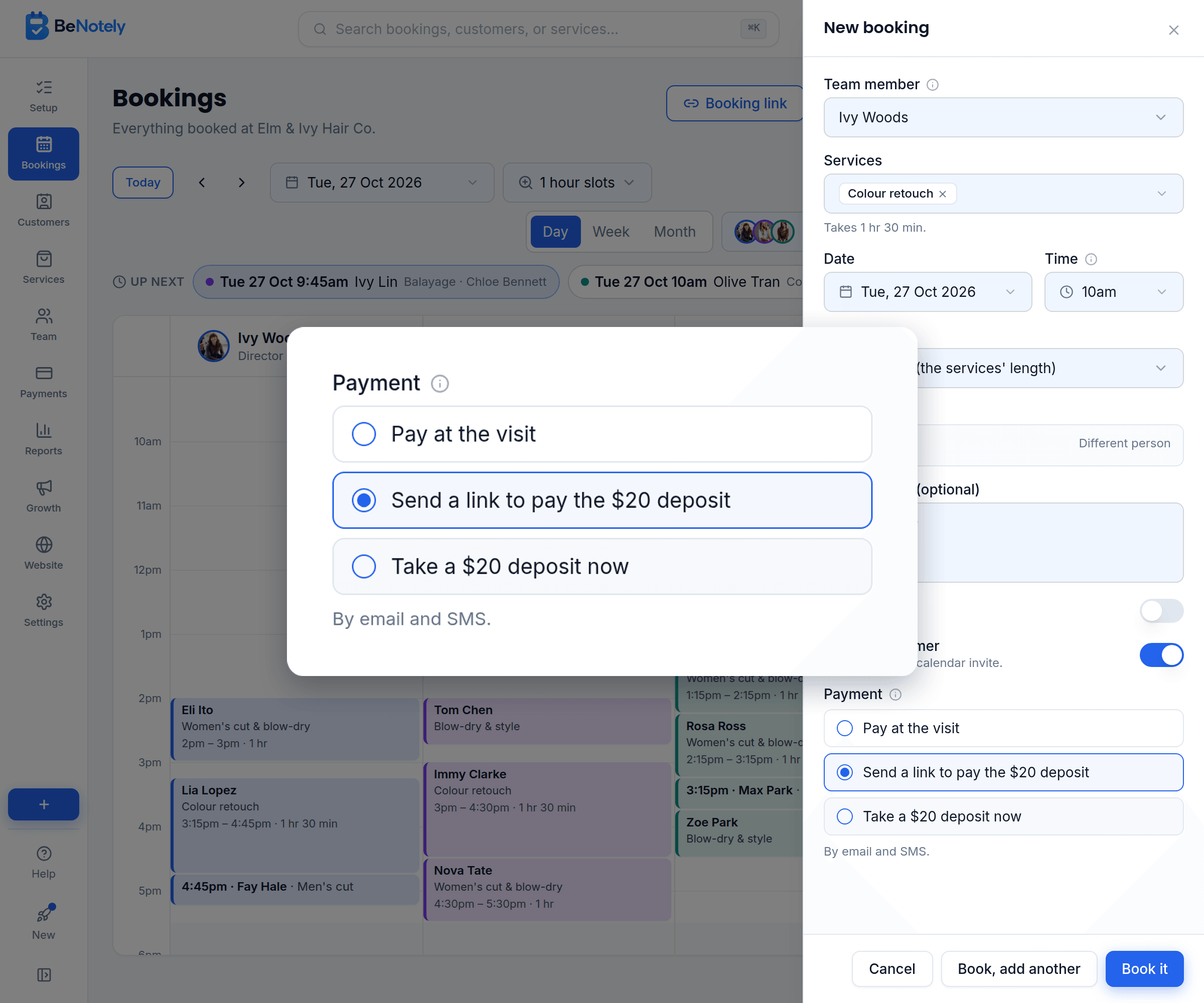
Booking someone over the phone? Send a link to pay the deposit, or one to save their card. Or take the deposit in person and record it on the booking.
Everything deposit software should include
Set the rules once. Every booking follows them.
No deposit, a percentage, a fixed amount, or full payment up front.
Give one service a bigger deposit or fee than the rest.
Refund part of a deposit, or all of it, in one tap. It goes back to their card.
A refund can stay as credit for their next visit.
Customers pay in one tap on their phone.
Your money lands in your bank account, with fees shown on every payment.
None of it works alone
The website fills the calendar, bookings build the customer list, the customer list powers the marketing, and the intelligence reads all of it.
Questions owners ask us
BeNotely's deposits take money the moment a booking is made, a percentage, a fixed amount or the whole visit, paid on your booking page by card, Apple Pay or Google Pay. Or a card is kept on file and charged only if they miss the visit. Refunds take one tap, and payouts go to your bank account.
Do customers pay the whole amount up front?+
Only if you want them to. Most businesses take a deposit and the rest is paid at the visit. You can ask for the full amount at booking if that suits you.
What happens when someone doesn't show up?+
With a deposit, you keep it. With a card on file, you charge the fee in your policy, or less. You can refund later if you change your mind.
Can a deposit be paid with a gift card?+
Yes. On your booking page, a customer can type a gift card code and the card pays the deposit. Anything left is paid the usual way.
How do refunds work?+
One tap from the booking. The money goes back to the card it came from, all of it or the part you choose.
Do I need a card machine?+
No. Deposits and online payments happen on your booking page. At the visit, customers pay the rest however you already take money.
Is card information safe?+
Card details are handled by an accredited payment provider and never touch BeNotely. Your team sees that a card is on file, never the number.
How much does it cost?+
There's a real free plan for one person: online bookings, your website and the AI assistant, no card required. Paid plans start at $29 AUD a month for one person taking bookings and from $69 for a team, GST included. Every new account starts with 30 days of everything switched on.
Protect this weekend's bookings today
Free for 30 days with everything switched on. No card, no lock-in contracts, and your booking page can be live in minutes.